ChatGPT vs Gemini for Small Business: Which One Should You Pay For?
Everything from episode 19 in one place: what ChatGPT and Gemini are, the setup for each, and what every plan costs side by side, including the Google Workspace plans that come with Gemini. Then five rounds of real work from Dana's week with the result of each, the one question that picks your winner, the one setting in each app, the one thing to check before you pay, where each one stops, and a free checklist with every request Dana typed, ready to copy into both.
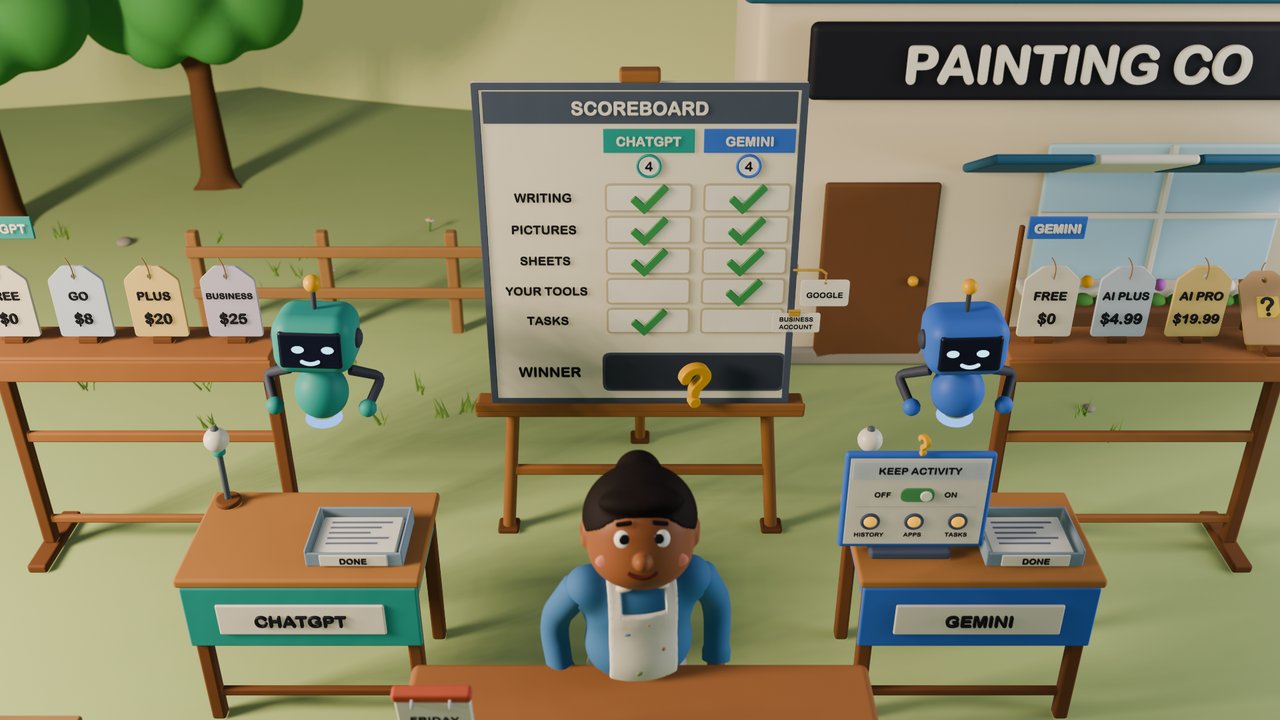
Two price tags, room for one
Monday morning, and Dana is staring at two price tags. ChatGPT wants $20 a month. Gemini wants $19.99. She has room in the budget for one.
Dana runs a small house-painting company: four painters, one van, and an inbox full of quote requests. Her crew lead swears by ChatGPT. Google keeps nudging her toward Gemini. And at the top of her email, there's a little button she has never clicked.
So she gave them both the same real work, from her real week, and kept score.
ChatGPT and Gemini, from zero
AI, the kind everyone's talking about, is a program that learned from an enormous amount of text and pictures. You ask it something in plain English, and it answers, one word at a time.
ChatGPT
Made by a company called OpenAI. You use it in its own app, on your computer or your phone, or on its website.
Gemini
Made by Google, and it comes through two doors. One is the Gemini app, which works a lot like ChatGPT. The other is Gemini the helper, built right into Google's own tools: Gmail, Docs, Sheets, Drive and Meet.
Small businesses use them about equally. In a 2026 survey of 942 US small-business owners by the business-banking company Bluevine, 57% used ChatGPT, and 56% used Gemini.
Bluevine's survey ran April 7 to 9, 2026, among owners of businesses with 2 to 249 employees and $50,000 to $5 million in yearly revenue. Microsoft Copilot came third, at 30%.
Setting up each one
Both start free.
ChatGPT
- Go to chatgpt.com, or download the ChatGPT app for your Mac, your Windows computer, or your iPhone or Android phone.
- Click Sign up for free, and make a free account.
- To upgrade later, click your profile picture, then Upgrade plan.
Gemini
- Go to gemini.google.com, or download the Gemini app for Mac or Windows from gemini.google/desktop. There's a phone app too.
- Sign in with a Google account, the same kind you use for Gmail. You must be 18 or over.
- To upgrade later, click Settings at the bottom, then Upgrade to Google AI Plus, and pick the Google AI plan you want. You can also subscribe through Google One.
One detail matters later. If your company email runs on Google, you can sign in to Gemini with that work account, instead of a personal one, as long as your company's Google Workspace plan includes it.
Some Gemini features work at gemini.google.com without signing in at all.
What each plan costs, side by side
In US dollars, checked November 4, 2026. Both companies say prices vary by country, so check each pricing page before you pay.
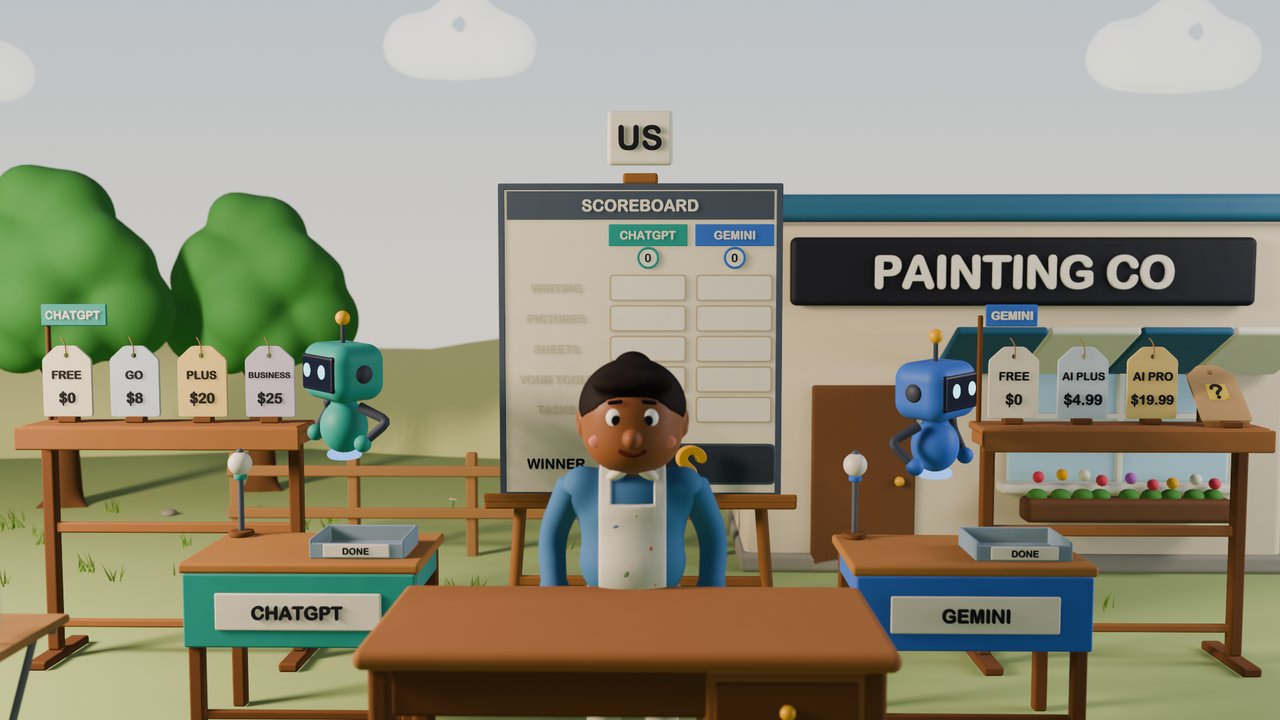
For one person
| Plan | ChatGPT | Gemini |
|---|---|---|
| Free | Free, $0 | Free, $0, with a Google account |
| The cheaper plan | Go, $8 a month, billed monthly. It may show ads. | Google AI Plus, from $4.99 a month, with 400 GB of storage. Adds Gemini in Gmail. |
| The main paid plan | Plus, $20 a month. Monthly only: OpenAI doesn't offer yearly billing for Plus. | Google AI Pro, $19.99 a month, or $199.99 a year (about $16.67 a month). Adds Gemini in Docs and Sheets, and 5 TB of storage. |
| Bigger plans | Pro, from $100 a month ($100, $200 or $500). | Google AI Ultra, from $99.99 a month. |
Free
Limited on both, but both write, make pictures, read your files and do deep research. That's plenty to try them out.
About $20
ChatGPT Plus and Google AI Pro are the main paid plans, and the two Dana tested.
From about $100
ChatGPT Pro and Google AI Ultra, for people who outgrow the $20 plans.
Google One's plan page also lists a 2 TB version of Google AI Plus at $9.99 a month. On ChatGPT Go, OpenAI says ads are being tested with eligible Go users "in select regions"; whether that includes the US isn't confirmed.
For a team
Per person, per month. This is where the two work differently.
| Plan | Month to month | On a yearly plan | What you get |
|---|---|---|---|
| ChatGPT Business, Standard seat | $25 | $20 | ChatGPT, ChatGPT Work and Codex. Two seats or more. No training on your business data by default. |
| ChatGPT Business, Premium seat | $125 | $100 | A higher-priced seat on the same plan, added August 25, 2026. |
| Google Workspace Business Starter | $8.40 | $7 | Business email at your own address, Gemini in Gmail, and the Gemini app. |
| Google Workspace Business Standard | $16.80 | $14 | Everything in Starter, plus Gemini in Docs, Sheets, Drive, Meet and Chat. |
| Google Workspace Business Plus | $26.40 | $22 | The same Gemini features as Standard. |
Google Workspace is the business email plan many companies already pay for, and since 2025 it includes Gemini. That's the one thing to check before you pay for either.
Google's pricing page opens on its yearly prices ("Save 16% with 1 year commitment"), billed monthly. The month-to-month prices are from Google's Flexible Plan page. On November 4 the pricing page also showed a lower price for a new customer's first 12 months. Starter, Standard and Plus are sold for up to 300 users.
Gemini Enterprise, Business edition
From $21 a seat a month, up to 300 seats. Google says it connects to tools like Microsoft 365, Google Workspace, HubSpot and Jira. Not confirmed: whether the $21 needs a yearly commitment, and how deep the Microsoft 365 connection goes.
How Dana ran the test
Five kinds of work from her actual week. The same request, typed word for word into both. Both on the $20 personal plans, ChatGPT Plus and Google AI Pro. And she judged every result the only way that matters to her: could she use it in her business, as is?
Dana is the show's story character. Each round's result rests on what OpenAI and Google document about their own products; the requests weren't run as a measured test, and neither company publishes a quality comparison for writing or pictures.
Round 1: writing
A homeowner wants a price to repaint her house. Dana typed:
Write a short, friendly email with a quote to repaint the outside of a two-story house. $4,200, three days of work, starting on the 14th. Mention our 5-year warranty.
Both wrote a clear, friendly email she could send after a small edit. They sounded a little different from each other, and that part is taste. Tell either one "shorter" or "more formal", and it rewrites it.
Each one also writes where you already are
ChatGPT
Once your Gmail or Outlook is connected, ChatGPT can draft an email and send it from the chat. Sending works on the web, on Plus, Pro, Business and Enterprise.
Gemini
Gemini drafts right inside Gmail. In the US, Google gives personal Gmail accounts three Gemini features at no charge: Help me write, AI Overviews for email threads, and Suggested Replies.
Result: a tie. For everyday writing, both are very good.
Round 2: pictures
The homeowner can't decide on a color. Dana takes a photo of the house, attaches it, and asks both:
Show me this house painted sage green, with white trim.
Then:
Now put it on a flyer for our fall special.
Both can do it. You attach the photo, describe the change, and it paints a new version. Both make and edit pictures on every plan, free included, with tighter limits on the free plans.
ChatGPT
Makes and edits pictures on every plan. OpenAI says Plus makes "more complex and accurate" pictures than the cheaper plans. To edit a photo, attach it to your message and say what to change.
Gemini
Makes and edits pictures on every plan, free included. Google says its paid plans get its best picture model, and higher limits. Upload a photo and ask for the edit.
Result: a tie. If pictures are a big part of how you sell, either one will do the job.
Round 3: spreadsheets
Dana keeps last month's jobs in a spreadsheet: the addresses, the hours, the paint, and what each one paid. She uploads it to both and asks:
Work out the profit on each job, and make a chart of our busiest weeks.
Both read the file, do the math, and draw the chart. On the free plans, uploads and analysis come with tighter limits.
Both also work inside a spreadsheet
ChatGPT
Has a sidebar in Google Sheets and in Microsoft Excel, to build, update and understand a spreadsheet in place. It's limited on Free and Go, and included on Plus. Interactive tables and charts in the chat come with Plus and Pro.
Gemini
Sits in a side panel in Google Sheets, where it can build tables, write formulas, analyze the data, and make charts and graphs. On a personal account, that comes with Google AI Pro and Ultra.
Result: a tie.
OpenAI's own advice for the spreadsheet sidebar: review the results before relying on its formulas or analysis.
Round 4: working inside the tools you already use
This is where they're built differently. Dana's business runs on Google: her email is Gmail, her quotes are in Google Docs, and her schedule is in Google Calendar.
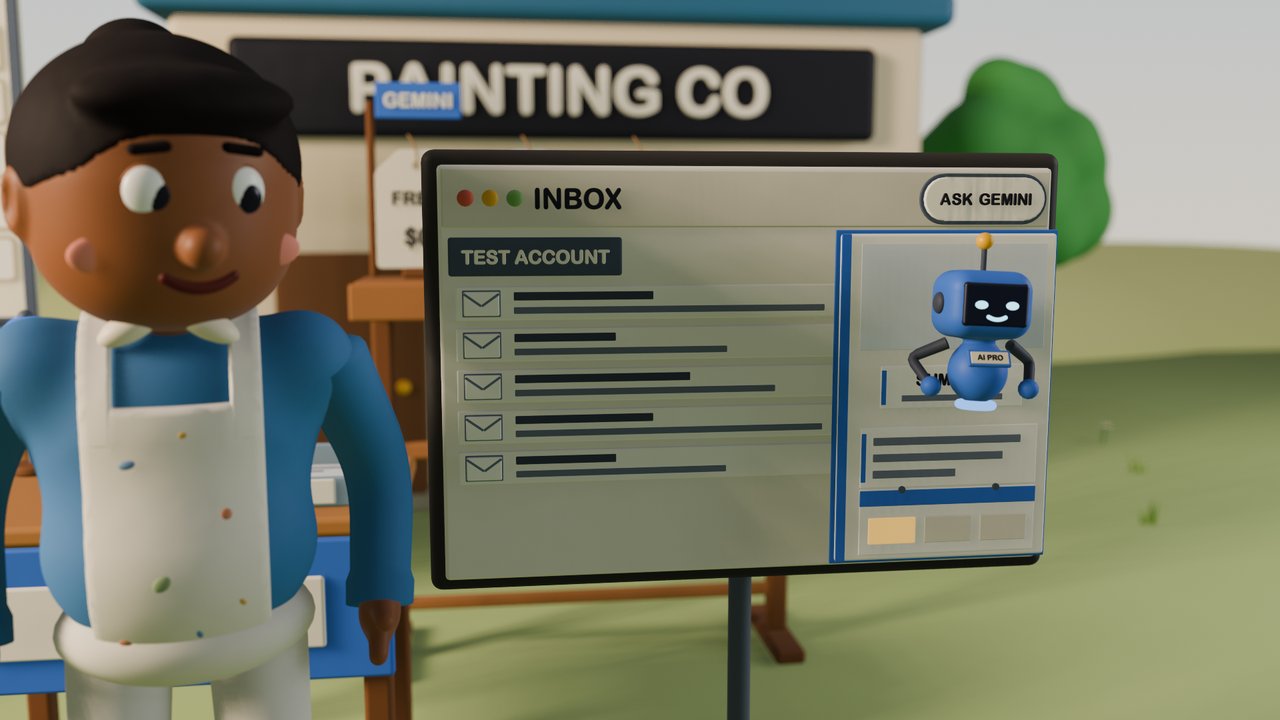
Gemini lives inside those
- In Gmail, click Ask Gemini, at the top right. It can sum up a long email thread, draft the reply, and suggest meeting times from your calendar (Help me schedule, on AI Pro and up).
- It's in Docs, Sheets and Drive too.
- In Meet, it can take notes for you (on AI Pro and up).
ChatGPT works from its own window
- Connect Gmail, Google Calendar and Google Drive as plugins: click Plugins in the sidebar, pick one, then Install plugin, and Connect.
- Then it can find and sum up your email, check your calendar, and draft and send a reply.
- It works, but you're switching windows.
Result, for a business on Google: Gemini.
If your business runs on Microsoft, flip it
ChatGPT
Connects to Outlook email and calendar, and works inside Word, Excel and PowerPoint through one Microsoft add-in. ChatGPT for Word is on every plan, Free included.
Gemini
Google's list of apps the Gemini app connects to has no Microsoft ones: no Outlook, OneDrive or Teams. It does list Google Workspace and outside apps like Dropbox, Shopify, Xero and Canva. Google's separate business product, Gemini Enterprise, does connect to Microsoft 365, from $21 a person a month.
Result, for a business on Microsoft: ChatGPT.
ChatGPT can connect more than one Gmail, Google Calendar and Google Contacts account, so personal and work accounts can sit in the same conversation. Google also lets you connect personal or third-party apps to Gemini by linking their Model Context Protocol (MCP) server. Not confirmed: whether every company's Google Workspace settings let ChatGPT connect a company Gmail account. If someone else runs your company's Google account, ask them.
Round 5: handing off a whole task
Both now have an agent built in. You describe the result you want, and it works through the steps on its own, while you do something else.
In ChatGPT
Pick Work. It's called ChatGPT Work.
In Gemini
Click Task, under the message box.
Dana asked both:
Every Friday afternoon, find the week's quote requests in my inbox, and put them in a spreadsheet with the address, what they want painted, and an open time on my calendar.
On the personal plans, both can take this on. Both use her connected email and calendar, build the spreadsheet, run on a schedule, and can stop to ask for her approval along the way.
Then she tried it on her business account
ChatGPT
Its agent comes with the Business plan too: a Business Standard seat includes ChatGPT Work. Everything happens in one app.
Gemini
Google says Gemini's tasks need a personal Google account. For now, they aren't available with a work or school account. On Google's business plans, Google's answer is a separate tool, Workspace Studio: describe what you want automated in plain words, and it builds a flow. It's included with every Business and Enterprise Workspace plan.
Result, for a business account: ChatGPT, because it all happens in one app.
What each agent needs
| ChatGPT Work | Gemini tasks | |
|---|---|---|
| Free plan | A limited version, in the desktop app, with no scheduled tasks. | No |
| The $20 plan | Plus: on the desktop, the web and your phone, with scheduled tasks. | Google AI Pro or Ultra. |
| A work account | Yes, on Business. | Not for now. Personal Google accounts only. |
| Settings | Connect the apps it should use, as plugins. | Keep Activity switched on, and opt in to Personal Intelligence. |
Remember the name Keep Activity. It's the setting that matters in a minute.
Gemini's separate Schedules feature, which schedules actions in the Gemini app, does work with a work account on a qualifying Workspace edition; any app it uses, like Google Workspace, must be connected. Not tested: whether Schedules or Workspace Studio can do Dana's exact Friday request (Google's own Studio example, "Save attachments to a Drive folder and record them in Sheets", comes close). Also not confirmed: whether tasks are on every Google AI Pro account today. Google's help page says AI Pro or Ultra, while its plans page still lists "first access to advanced features like Tasks in Gemini (in select countries)" on Ultra.
The scorecard
Three ties, and one round each. On most everyday work, they're close, and both are good. The real differences are where each one lives, and what it can do on its own.
| Round | Result | Why |
|---|---|---|
| 1. Writing | A tie | Both wrote an email she could send after a small edit. |
| 2. Pictures | A tie | Both make and edit pictures on every plan. |
| 3. Spreadsheets | A tie | Both read the file, do the math, draw the chart, and work inside Google Sheets. |
| 4. Your tools | Gemini, for a business on Google | It's built into Gmail, Docs, Sheets, Drive and Meet. On Microsoft, it flips to ChatGPT. |
| 5. Handing off a task | ChatGPT, from a business account | Gemini's tasks are personal-account only, for now. On personal plans, both can. |
Where ChatGPT has the edge
- It works with Outlook, Word, Excel and PowerPoint.
- Its agent runs from a business account, in one app.
- It can connect a personal and a work inbox in the same conversation.
Where Gemini has the edge
- It's built into Gmail, Docs, Sheets, Drive and Meet.
- The cheapest paid plan: Google AI Plus, from $4.99 a month. AI Pro can be paid yearly, and comes with 5 TB of storage.
- It's already included in Google Workspace business plans.
The one question that picks
So the winner comes down to one question: where does your business already live?
It runs on Google
Gmail, Docs and Sheets. Start with Gemini, and check your Workspace plan first.
It runs on Microsoft
Outlook, Word and Excel. Start with ChatGPT.
You want to hand off whole tasks
From a business account. That's ChatGPT, on Plus or Business.
Pictures are your main thing
It's a tie, so let the other answers decide.
A one-person shop on a tight budget
Start free on both. The cheapest paid plans are Google AI Plus, from $4.99 a month, and ChatGPT Go, at $8.
The one setting in each app
Both apps can use your conversations to train future versions of their AI. On the personal plans, you choose.
In ChatGPT
- Open Settings.
- Click Data controls.
- Turn off Improve the model for everyone.
Your chats stay in your history. OpenAI also offers "Do not train on my content" in its Privacy Portal.
In Gemini: Keep Activity
- On your computer, go to gemini.google.com.
- Click Settings & help, then Activity.
- Near the top, click On, then Turn off (or Turn off and delete activity).
It's on by default for anyone 18 or over.
Keep Activity is a bigger switch
Turn it off, and your future chats aren't used to train Google's AI. But it also changes three other things.
On both, if you send feedback on an answer, that chat can still be used to improve their AI.
On the business side, it's settled for you. ChatGPT Business doesn't train on your data by default. And Google says that on its Workspace business plans, Gemini doesn't use your chats and files to train its AI outside your company, without your permission.
On a Google work account, the Gemini activity setting is controlled by your company's Workspace administrator.
The one thing to check before you pay
Before you pay for either, check whether you already have one.
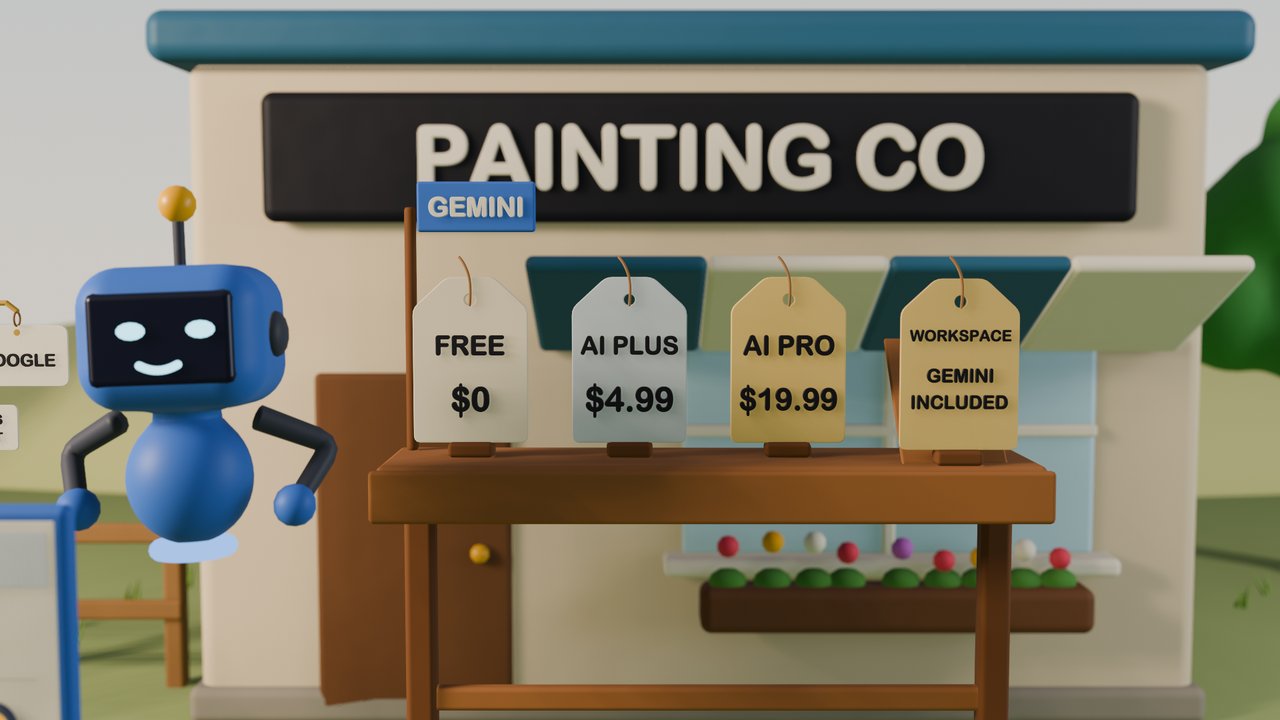
On January 15, 2025, Google built Gemini into its Workspace business plans, the ones that run a company's email at its own address. Google says that on Business Standard, it came to $2 more per person, a month: $14, where Business Standard with the old Gemini add-on had cost $32.
Two ways to check
Look in Gmail
Open Gmail on your computer, and look at the top right for Ask Gemini. It's in Docs too. If it's there, your account has Gemini.
Or check the plan
If you run the account, open the Google Admin console, then Menu, Billing, Subscriptions, to see which plan you're on. It needs the Billing management privilege.
Or ask
If someone else runs your company's Google account, ask them which plan it's on.
What each Workspace plan includes
Business Starter
Gemini in Gmail, and the Gemini app. Google lists Gemini in its other Workspace apps as "Limited" on Starter.
Business Standard
Gemini in Gmail, Docs, Sheets, Drive, Meet and Chat, and the Gemini app.
Google's usage limits differ by plan too. For example, Starter gets 5 pictures a month from Google's Nano Banana Pro model, and Standard gets 30. Gemini's "build and edit spreadsheets" feature has no access on Starter, and 100 a month on Standard. For licensed users over 18, the Gemini app is on by default.
Dana checked. Her company is on Business Standard. Everyone on her team has had Gemini in Gmail, Docs and Sheets since 2025. That little button at the top of her email, the one she'd never clicked, was Ask Gemini.
So Dana didn't buy Google AI Pro. She spent her $20 on ChatGPT Plus, for the Friday quote requests. Everything else, she already had.
Where each one stops
Either one is a real step up for a small business. But both have limits worth knowing.
ChatGPT
- Plus is monthly only.
- Go may show ads.
- Sending email from the chat works on the web only.
- The free plan's agent is limited, desktop only, and doesn't run on a schedule.
Gemini
- Tasks need a personal Google account, for now.
- Its list of connected apps has no Microsoft ones.
- Turning off Keep Activity also turns off history, connected apps on the website, and tasks.
- Business Starter has Gemini in Gmail and the app, not in Docs and Sheets.
Both get things wrong sometimes
Google says plainly that Gemini can make mistakes, and OpenAI says to verify anything important that ChatGPT tells you. Read every price, date and promise before it goes to a customer.
A helper, not a system
An app on its own is a helper. When you want your quotes, your schedule and your invoices to flow into each other every day, without anyone copying and pasting, that's real software, built around the way your business works. That's the time to bring in an engineer.
The free checklist: ChatGPT vs Gemini, side by side
The prices side by side, how to check your Google plan, the one setting in each app, and every request Dana typed, ready to copy into both, on one page. Print it, or keep this page open.
The prices
In US dollars, checked November 4, 2026.
| Plan | ChatGPT | Gemini |
|---|---|---|
| Free | Free, $0 | Free, $0 |
| The cheaper plan | Go, $8 a month (may show ads) | Google AI Plus, from $4.99 a month, with Gemini in Gmail |
| The main paid plan | Plus, $20 a month, monthly only | Google AI Pro, $19.99 a month, or $199.99 a year, with Gemini in Docs and Sheets |
| Bigger plans | Pro, from $100 a month | Google AI Ultra, from $99.99 a month |
| For a team, per person | Month to month | Yearly plan |
|---|---|---|
| ChatGPT Business, Standard seat (2 or more) | $25 a month | $20 a month |
| ChatGPT Business, Premium seat | $125 a month | $100 a month |
| Workspace Business Starter: Gemini in Gmail, and the Gemini app | $8.40 a month | $7 a month |
| Workspace Business Standard: also Docs, Sheets, Drive and Meet | $16.80 a month | $14 a month |
Before you pay: check your Google plan
The one question
Where does your business already live? On Google (Gmail, Docs, Sheets): start with Gemini. On Microsoft (Outlook, Word, Excel): start with ChatGPT. Handing off whole tasks from a business account: ChatGPT, on Plus or Business. Pictures: a tie. A one-person shop on a tight budget: start free on both.
The one setting in each app
ChatGPT Business and Google Workspace business plans don't use your data to train their AI by default.
Every request Dana typed
Type each one into both, word for word. Swap in your own customers, your own jobs and your own numbers.
Write a short, friendly email with a quote to repaint the outside of a two-story house. $4,200, three days of work, starting on the 14th. Mention our 5-year warranty.
Show me this house painted sage green, with white trim.
Now put it on a flyer for our fall special.
Work out the profit on each job, and make a chart of our busiest weeks.
Every Friday afternoon, find the week's quote requests in my inbox, and put them in a spreadsheet with the address, what they want painted, and an open time on my calendar.
The links
The official pages for each step.
Sources
Where the facts in the episode come from, all read November 4, 2026. The main links for each step are in the checklist above.
OpenAI
OpenAI's help articles block automated readers, so they were read from Internet Archive copies made between October 25 and November 3, 2026. The text is OpenAI's own.
The survey
Ready for more than a helper?
That's what Benmore's forward deployed engineers do. They build inside your business: they find the work worth automating, and they build it with AI, properly.
Talk to Benmore