Claude Code for Small Business: Build Your First Tool (No Coding Needed)
Everything from episode 7 in one place: what Claude Code is and how it works, which tab to use, how to pick your first tool, the five setup steps, every request Dana typed to build her quote calculator, how to share what you build, and when to bring in an engineer.

What Claude Code is
AI like Claude learned by reading an enormous amount of text. Ask it something and it writes back one word at a time, always guessing the most likely good next word. Claude is made by a company called Anthropic. In the chat version, you type and it types back.
Claude Code is Claude with hands. It works on your own computer, inside a folder you choose. It can open the files in that folder, read them, write new ones, run them, and check its own work. Software is just text written in a very strict way, called code, so when you describe a tool, it writes the code, runs it, sees what's broken and fixes it.
You never have to read that code. You describe what you want, look at what it made, and say what to change. It's like working with a builder, not learning to build.
How it works, inside
It works in a loop, a lot like a careful new hire, and goes around until the task is done. Then it tells you what it did.
Look
It opens the files in your folder and reads what's there, before touching anything.
Plan
It works out what to do.
Act
It writes a file, or runs one.
Check
Did that work? Does it match what you asked for? If not, it goes around again.
You can step in at any point. Type a correction and press Enter, and it changes course without starting over.
It keeps notes. Every new session starts fresh, so there's a notes file in your folder (called CLAUDE.md) that it reads at the start of every session, with how your business works and how your tools work. It also saves its own notes as it goes. Months later, you open the folder and it picks up where you left off.
The four modes
You decide how much it's allowed to do on its own. The mode switch is next to the send button.
Manual
It asks before every change.
Plan
It only talks the work through, and changes nothing. Start here.
Accept edits
It creates and changes the files in your folder without asking each time. Switch to this once you're happy with the plan.
Auto
A safety check watches every step in the background and blocks anything risky.
Chat, Cowork or Code?
Open the Claude app on a computer and you'll see three tabs along the top. Each one is for a different kind of work.
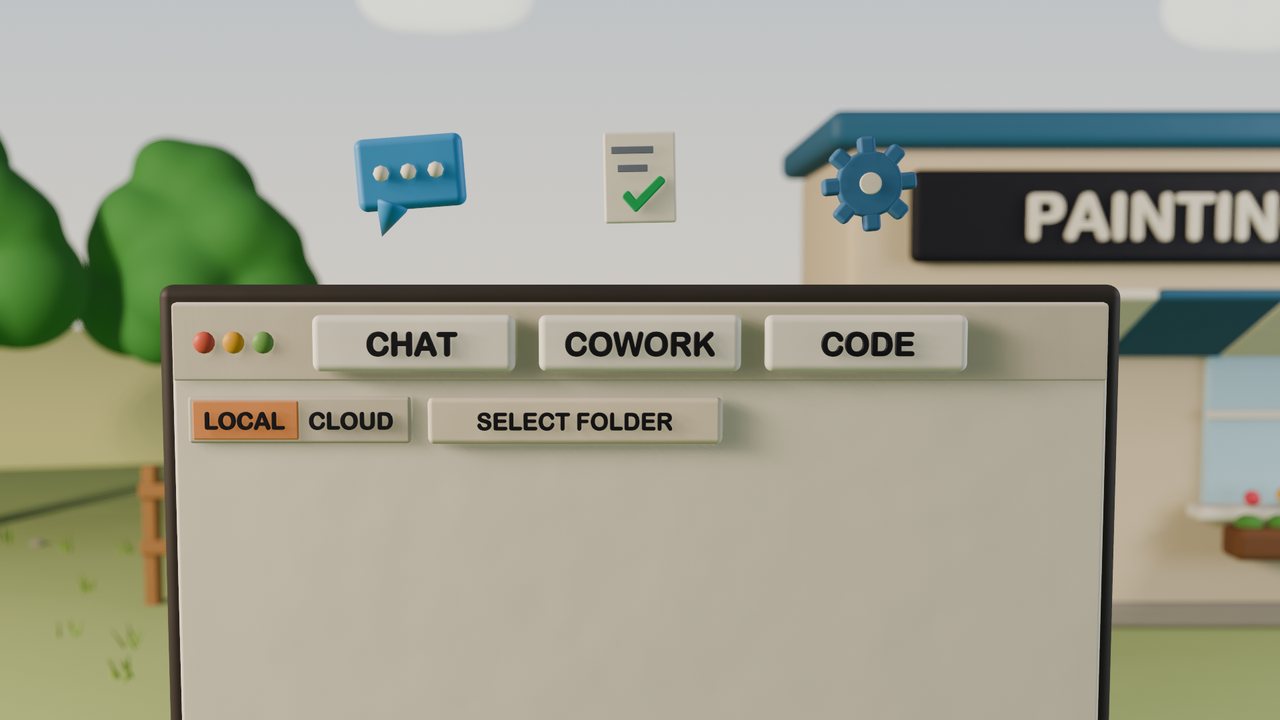
Chat
A conversation. Ask, and it answers. Great for writing an email or thinking something through.
Cowork
Does a task for you. You hand it the work, it gets on with it in the background using your files and the apps you've connected, and it brings back the result.
Code
Builds you a tool that does the work. Once it's built, nothing inside it is guessing: it's a plain program that does the same math the same way every time, in a second, and costs next to nothing to run.
Claude for Small Business
Anthropic launched it in May 2026, and it lives in Cowork: you turn it on there. It's a set of ready-made workflows for jobs like chasing unpaid invoices, closing out the month and planning payroll. It connects to QuickBooks, PayPal, HubSpot, Canva, Docusign, Google Workspace and Microsoft 365, and you approve before anything sends, posts, or pays.
The simple rule: if there's a ready-made workflow for it, try Cowork. If it's the same steps every week, done your way, have Code build you a tool. Claude Code can do one-off tasks too, but building tools is the thing only Code does.
Pick the right first tool
Most people's first idea is too big: "Build me an app that runs my whole business." That's how you end up with something that looks great and doesn't work. A good first tool passes three questions.
Do you do it every week?
If not, it isn't worth a tool yet.
Is it the same steps every time?
If it takes real judgment, a tool can't make that call for you.
Does it cost you, in time or in mistakes?
Forty minutes a quote, and a missed ceiling now and then, is a real cost.
For your very first one, build it for yourself or your staff rather than for customers. A tool only your team uses is low risk: if something's off, you'll catch it.
Some good first tools: a quote calculator, a checklist your crew fills in on site, a one-page morning summary of the week's jobs, or a report that turns your Friday spreadsheet into the three numbers you actually look at.
Get the free checklist for picking yoursSet it up in 5 steps
None of them involve code.

Install the Claude app
On your computer, go to claude.com/download and install the Claude app. It works on Mac and Windows.
Sign in, on a paid plan
Open it, and sign in or make an account. Claude Code needs a paid plan, and the cheapest one that includes it is Pro, at $20 a month ($17 a month if you pay for the year).
Click the Code tab
It's at the top, next to Chat and Cowork.
Choose your folder
Make a folder for the project the normal way. Dana called hers
quotes. In the app, choose Local, which means it works right on your own computer, click Select folder and pick that folder. That's where Claude Code will work.Set the mode to Plan
The mode switch is next to the send button. In Plan mode, Claude Code talks through what it's going to do and doesn't change anything until you're ready.
You may hear that Claude Code runs in a terminal: a plain window where you type instructions instead of clicking. The classic version runs there, and installing it is one line you copy and paste, on Anthropic's Claude Code page. The app does the same job with buttons.
Give it what you know
A tool is only as good as what you give it. Before asking for anything, Dana put three things in her quotes folder.
Your price list
Hers is a Google Sheet, so she opened it and clicked File, then Download, then Microsoft Excel, and saved that file into the folder.
Real past examples
Ten real quotes she sent this year, as PDF files, with what each customer actually paid.
The rules in your head
Written down in a plain note. That note matters more than anything else in the folder.
Dana's rules note
Minimum job is $600. Ceilings are extra. Dark colors get a second coat. Anything more than 20 miles away gets a travel fee. Repeat customers get 10% off.
Every business runs on rules nobody ever wrote down. The tool can only follow the ones you give it.
Every request Dana typed
Copy them, then swap in your own business and your own files. The same requests work for a schedule, a checklist or a report.

1. Describe it, and let it ask
Still in Plan mode. The last line is the trick: instead of guessing, Claude Code reads everything in the folder and comes back with questions.
I run a house-painting company. Build me a quote calculator my crew leads can use. They pick each room, enter its size, and choose the extras, and it shows the total, with every line explained. Use the price list, the past quotes, and my rules note in this folder. Before you build anything, ask me questions until you understand how I price a job.
It asked Dana what a new hire would get wrong. Do you price walls by the square foot, or by the room? Is the $600 minimum before or after the repeat-customer discount? Is the travel fee charged once, or for every day of the job? She answered each one in a sentence. Then it wrote out a plan: what the page will look like, what it will ask for, and how each price gets worked out. She fixed one line and typed "Go ahead."
2. The first version
Dana switched the mode from Plan to Accept edits. A few minutes later the calculator opened right inside the app, in a browser panel: rooms down the left, ceiling and trim, light or dark paint, the distance to the job, a box for repeat customers, and the total on the right with every line spelled out. It had no option for a stairwell, so she typed:
Add stairwells as their own room type, at one and a half times the wall price.
That's how it works from here on. You don't fix the code. You say what's wrong, in plain English, and look again.
3. Test it against real jobs
This is the step most people skip, and it's the one that makes a tool trustworthy.
Run the calculator on each of the ten past quotes in this folder. Make a table with what the customer paid, what the calculator says, and the difference. Explain anything that's more than five percent off.
Eight matched and two didn't. One was a discount Dana gave for a very big house, a rule that was only in her head, so she added it to her note. The other was the calculator's mistake: it took off the repeat-customer discount in the wrong order, and she pointed that out. She ran the test again: ten out of ten.
4. Make it yours
Once the numbers are right, each change is one plain sentence.
Add my logo, and turn the quote into a PDF I can email to the customer.
Every time someone makes a quote, add it to a spreadsheet in this folder, with the date, the customer, the address and the total.
Write a one-page guide for my crew leads on how to use it.
When prices change, Dana updates her Google Sheet, downloads it into the folder again, and types:
The price list changed. Use the new one, and run the ten-job test again.
And one last request, so the next session already knows how the tool works:
Add how this tool works to your notes file.
Beyond the calculator
Once Claude Code is set up, a single folder can turn into a small toolbox for the whole business.
One-off tasks
Right in your folder, with nothing to build.
Here are this year's supplier receipts. Make one spreadsheet with the supplier, the date and the amount, and total it by month.
Skills
Once a task works the way you like, ask Claude Code to save it as a skill: a saved set of instructions with a name. Next time, type /, pick the skill, and it runs the same way again. Dana has one called "new quote."
Your other apps
Connect apps like Gmail and Google Drive in your Claude account, and Claude Code can use them too.
Find this week's quote requests in my inbox. Work out each one with the calculator, and write a reply for each, as drafts for me to read.
A schedule
The app can run a task on its own, at a set time. Dana gets her follow-up list before her first coffee.
Every Monday at seven, look at last week's quotes in the log, and tell me which ones never turned into a job.
When to bring in an engineer
Some tools are worth building yourself. Others need someone who builds software for a living. Here's how to tell.
Customers use it
A quote form on your website, a booking page, anything a stranger can open.
It takes payments, or holds people's personal information
Once there's something valuable inside, someone has to check how it's protected.
It connects to the systems you already run
Like your accounting software or your scheduling system, and has to keep them in sync.
Your business leans on it every day
When a bad day for the tool is a bad day for the business.
Tools like those need testing, security, and a plan for when something goes wrong. A good engineer will use these same AI tools. They'll just know what to check.
Pick your first tool: the checklist
Everything from the episode, in order. Print it, or keep this page open while you build.
You do it every week
If it only comes up now and then, it isn't worth a tool yet.
It's the same steps every time
If it takes real judgment, a tool can't make that call for you.
It costs you time or mistakes
Write down roughly how long it takes each week, and what a mistake costs you.
It's for your team first
Build your first tool for yourself or your staff rather than customers. If something's off, you'll catch it.
You've given it three things
Your price list or data, real past examples with how each one turned out, and the rules in your head written down in a plain note.
Your request ends with "ask me questions first"
"Before you build anything, ask me questions until you understand how I do this." Answer each one in a sentence, and read its plan before you say go ahead.
It matches your real past jobs, every one
Have it run the tool on your past examples and make a table: what really happened, what the tool says, and the difference. Fix the note or tell it what's wrong, then run the test again until every one matches.
You make one change per sentence
Say what's wrong in plain English, look again, then move on to the next change.
It keeps notes
Ask it to "add how this tool works to your notes file," so the next session already knows.
You know how you'll share it
A single file in a shared folder your team already syncs, or online, which also needs a login, a safe place for the data, backups and someone who gets the call.
You know the signs you need an engineer
Customers use it, it takes payments or holds personal information, it has to stay in sync with systems you already run, or your business leans on it every day.
Sources
Where the facts in the episode come from.
Want tools like this built into your business?
That's what Benmore's forward deployed engineers do. They work inside a business, find the work worth building tools for, and build those tools with AI, properly.
Talk to Benmore