Codex vs Claude Code for Beginners: Which One Should Your Business Use? (Explained From Zero)
Everything from episode 18 in one place: what Codex and Claude Code are, from zero, and why older videos show a different app. Then the six rounds, side by side: the setup steps for both, every price, Dana's build with her exact request ready to copy, what each one asks before it acts in its maker's own words, scheduled and cloud tasks, plugins and connectors, the scorecard, the one question that picks, how each one imports the other's setup, and a free checklist.
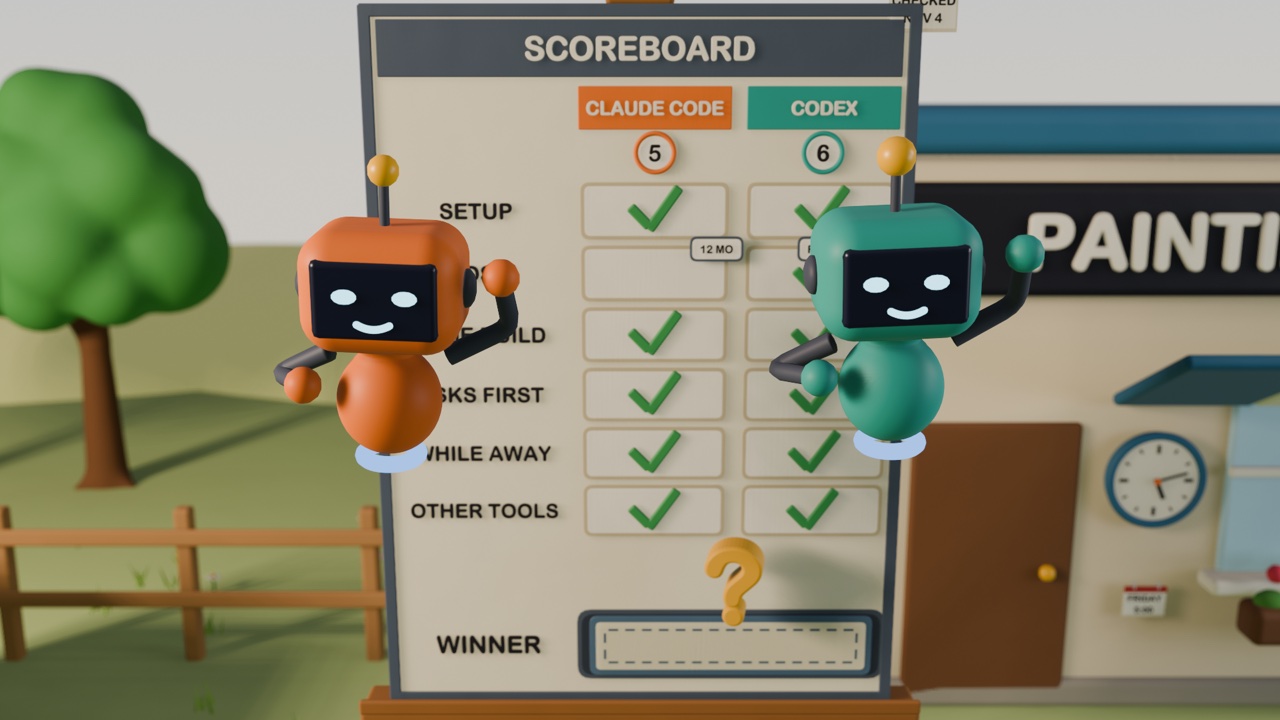
Proof by Monday
Thursday evening, and Dana's phone rings. It's Hal Brooks. Dana's crew painted his house last spring, and now he's selling it. The buyer wants proof: what was done, which paint, and the warranty. By Monday.
Dana remembers the work. Finding the paperwork is another story. The photos are spread across three phones. The notes are on a clipboard in the van. And the warranty lives in Dana's head.
So she makes a decision. From now on, every finished job ends with a one-page report and a warranty card, made automatically. Two AI tools can build that for her: Codex, from OpenAI, the company behind ChatGPT, and Claude Code, from Anthropic. Her crew lead says Codex. Dana leans the other way. So she gives both the same build, and keeps score.
Codex and Claude Code, from zero
AI, the kind everyone's talking about, is a program that learned from an enormous amount of text. Ask it something, and it writes back, one word at a time.
An agent is that same AI, with tools and a goal. OpenAI's own definition: "An agent is an AI system that can work through a task on your behalf. You describe what you want to achieve. It can then choose next steps, use available tools, and adjust its approach based on what it finds."
Codex
OpenAI calls it its "coding agent that helps you write, review, and ship code." It lives in the ChatGPT desktop app, and it comes with every ChatGPT plan.
Claude Code
Anthropic calls it "an AI-powered coding assistant that helps you build features, fix bugs, and automate development tasks." It reads your files, edits them, and runs commands. It lives in the Code tab of the Claude desktop app, on Claude's paid plans.
Why software, if you're not a programmer? Because code is just written instructions for a computer, and a tool that turns photos into a report is a few pages of them. These agents write those pages for you.
You point one at a folder on your computer, and describe a tool you wish you had. It writes the code, runs it, and checks its own work. OpenAI says Codex uses "computer and browser tools to verify work until your requirements are met." Anthropic says that by default, Claude "auto-verifies changes after every edit." You don't have to write any code. You try the tool, and you say what to change.
Why older videos look different
July 9, 2026
The separate Codex app merged into the ChatGPT desktop app, for Mac and Windows. OpenAI: "Codex keeps its dedicated coding experience alongside ChatGPT's Chat and Work." The updated app is on every ChatGPT plan, Free included.
September 16, 2026
Anthropic began bringing everything Claude Cowork does into every Claude conversation: "Ask a quick question or hand Claude a bigger task, like a report, spreadsheet, or presentation, without choosing a mode first." It's rolling out gradually, starting with Pro, Max and Ultra.
The ChatGPT desktop app
One app, three choices. OpenAI: "Use Chat for a question or back-and-forth. Turn on Work in the switcher when you want ChatGPT to carry a larger task through to a reviewable result. Select Codex when you want developer views or more technical detail, especially for software development." Chat and Work are a toggle above the message box; Codex is picked from the ChatGPT dropdown.
The Claude app
The same shape: a normal Claude chat, which is taking on whole tasks as that update rolls out, and a Code tab at the top of the sidebar for Claude Code.
So when an older video sells Codex as the tool for everyday office work, know that OpenAI now points that work to ChatGPT Work: "If you have used Codex for non-coding work, you can stay in Codex or use ChatGPT Work instead. ChatGPT Work gives you the same core capabilities with an experience designed for everyday work."
This page, like the episode, is about the two coding tools: the ones that build things.
How Dana ran the test
One build, from her real week
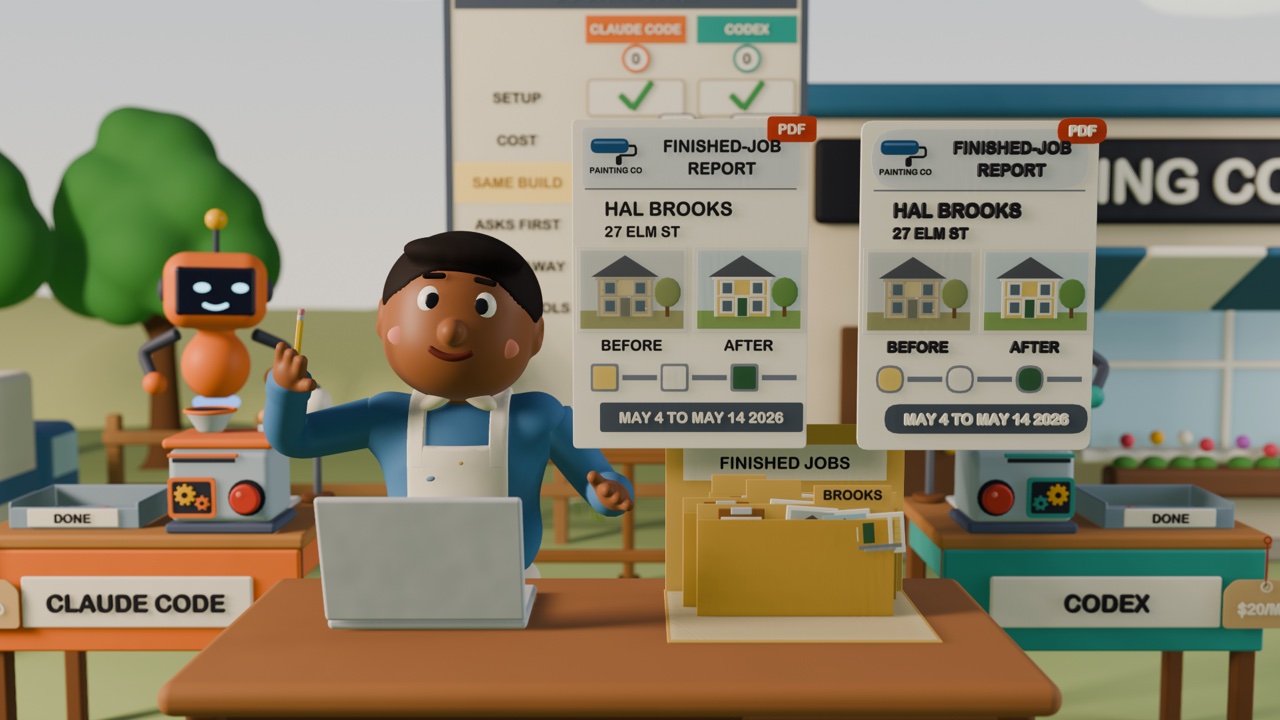
A finished-job kit. A job folder of photos and crew notes goes in. A one-page finished-job report and a warranty card, as PDFs, come out.
The same request, word for word
Typed into both. It's below, ready to copy.
Both on the $20 plans
ChatGPT Plus and Claude Pro.
Six rounds
Setting it up, what it costs, the same build, what it asks first, working while you're away, and connecting your other tools.
Round 1: setting it up
Four steps each, side by side, and no terminal needed.
Codex
Download the ChatGPT desktop app
For Mac or Windows. A Linux version is in preview. The download links are on OpenAI's quickstart.
Sign in
With your ChatGPT account. Any plan works, Free included.
Pick Codex
Open the ChatGPT dropdown, and select Codex.
Open a folder
Choose the folder it should work in. OpenAI: "ChatGPT can read and modify files in the folder you choose."
Claude Code
Download the Claude desktop app
For Mac (Intel and Apple Silicon) or Windows (x64 or ARM64). On Ubuntu or Debian, the app is in beta. The download links are on Anthropic's desktop quickstart.
Sign in
With your Claude account. Anthropic: "Claude Code requires a Pro, Max, Ultra, Team, or Enterprise subscription."
Click the Code tab
At the top of the sidebar. The app includes Claude Code, so there's nothing else to install.
Open a folder
In the row under the message box, click the first control (the environment selector) and choose the top entry under Local. Then click the folder control beside it, choose Open folder…, and pick your folder.
OpenAI's quickstart lists opening a folder before picking Codex; either order works. OpenAI's Help Center says you may be asked to add or verify a phone number when you first open Codex in the desktop app.
That folder matters
It's where the agent reads, and where it builds. Dana made one new folder on her computer, called Finished Jobs. Inside, one folder per job, with the photos and the crew lead's notes. She gathered Hal's photos off three phones into his folder, and pointed both tools at Finished Jobs.
Finished Jobs
The one folder both tools open.
- Brooks: Hal's photos, from three phones, and the crew lead's notes.
- One folder per job, the same way, from now on.
For programmers: other ways in
- Codex: a CLI in the terminal ("Inspect code, make changes, run commands, and automate repeatable work without leaving your terminal"), an extension for VS Code and compatible editors, and integrations in Xcode and JetBrains IDEs.
- Claude Code: "the terminal, IDE extensions, a desktop app, and the web": a CLI, an extension for VS Code and Cursor, and a JetBrains plugin.
Round one is a tie. Four steps each, and the desktop app is the easy door for everyone who isn't a programmer.
Round 2: what it costs
Checked November 4, 2026, in US list prices, before tax. Prices change, so check each pricing page before you pay.
| Plan | Codex (ChatGPT plans) | Claude Code (Claude plans) |
|---|---|---|
| Free | Free, $0. Codex included, limited, and "subject to rollout." OpenAI: "Explore Codex capabilities on quick coding tasks." | Free, $0. No Claude Code. |
| The cheap plan | Go, $8 a month. Codex included, limited, and "subject to rollout." OpenAI: "Use Codex for lightweight coding tasks." | None |
| The $20 plan | Plus, $20 a month. Monthly only. OpenAI: "Power a few focused coding sessions each week." | Pro, $20 a month, or $17 a month billed yearly ($200 up front). Claude Code included. |
| Bigger plans | Pro, from $100 a month ($100, $200 or $500). | Max, $100 a month, with "5x Pro usage every 5 hours and every week." Ultra, $200 a month. |
| Teams of 2 or more | Business, $20 per person a month billed yearly, or $25 billed monthly. | Team, $20 per person a month billed yearly, or $25 billed monthly. For teams of 2 to 150. |
How your use is measured
Neither one promises a set number of messages. Here's what each company says, in its own words.
| Codex | Claude Code | |
|---|---|---|
| Message counts | Estimates only. On Plus, from about 5 to about 3,000 messages on your own computer every five hours, depending on the model. "These estimates are not fixed message limits." | Not published. "The number of messages you can send will vary based on message length, including the length of files you attach, the length of your current conversation, and the model or feature you use." |
| Time windows | Five-hour periods on Plus. "Weekly limits may also apply." "Pro plans currently have no five-hour limit." | "Pro and Max plans have a five-hour session limit and a weekly limit." Ultra has no five-hour limit for verified accounts. |
| Shared with | "ChatGPT Work and Codex share usage." Regular Chat isn't included, OpenAI's Help Center says. | "These limits are shared across Claude and Claude Code, meaning all activity in both tools counts against the same limits." |
| When you run out | "ChatGPT Plus and Pro users who reach their usage limit can purchase additional credits to continue working without needing to upgrade their existing plan." | On Pro: "Enable usage credits to keep using Claude with your Pro plan after you reach your five-hour session limit or your weekly limit." |
OpenAI's Plus estimates by model, in messages on your own computer per five hours: GPT-6 Astra 5 to 45, GPT-6 Sol 15 to 150, GPT-6.1 Sol 15 to 160, GPT-6.1 Terra 35 to 285, and GPT-6 Luna 350 to 3,000. "Cloud tasks may use more of your allowance than local messages." Anthropic gives multiples instead of counts: Pro has at least five times Free's usage per five-hour session, and Max five times Pro's.
Not documented: Anthropic publishes no message counts for Claude Code, and OpenAI's numbers are estimates. Codex on Free and Go is "subject to rollout", so it may not reach every account yet. Prices outside the US, and taxes, aren't covered here.
Round two goes to Codex, for one documented reason: it's the only one you can start for free. Paid for a year, Claude Pro ($17 a month) costs a little less than ChatGPT Plus ($20, monthly only). And ChatGPT Go, at $8 a month, is the cheapest paid plan with either tool.
Round 3: the same build
Dana typed the same request into both, word for word. Here's how it went, step by step.
1. Switch to plan mode first
So each one lays out its approach before touching a file.
Type /plan in the message box. OpenAI: "Toggle plan mode for multi-step planning."
Choose Plan in the mode selector under the message box. Anthropic: Claude "reads files and runs commands to explore, then proposes a plan without editing your source code."
2. Type the request
In this folder, build me a simple tool. When I add a finished job's folder, with photos and the crew's notes, make two PDFs. First, a one-page finished-job report: the customer's name and address, before-and-after photos, the colors and paint we used, and the dates. Second, a warranty card, with the two-year warranty's end date. Use our logo. Then test it on Hal Brooks's job, and check every date.
3. Read the plan, then say go
Dana read both plans, said go, and watched.
4. Look at the PDFs, beside the chat
It built the tool in the folder, and ran it on Hal's job. Dana clicked the report in the chat, and it opened in the Browser pane, beside the chat. Anthropic: "In a local session, click an HTML, PDF, or video path in the chat to open it in the Browser pane."
It built the tool, ran it, and previewed the PDF beside the chat. OpenAI: "The ChatGPT desktop app previews generated documents, presentations, spreadsheets, and PDF files alongside the chat."
5. Ask for changes, in the chat
Dana asked both for bigger photos, and both made the change.
Make the before-and-after photos bigger.
What makes the request work
Where
"In this folder." The agent works in the folder you opened.
What goes in
A finished job's folder, with photos and the crew's notes.
What comes out
Two PDFs, with everything each one must show, spelled out.
How to test it
A real job (Hal's), and "check every date."
Both can look at the photos. OpenAI says you can "ask ChatGPT to inspect an image on your system." In Claude Code you can also attach images, PDFs and other files from the + button next to the message box. Codex lets you point at part of some previews to ask for a focused change; OpenAI lists code, Markdown files, websites, documents, spreadsheets and presentations, and doesn't name PDFs, so on the PDF Dana used the chat.
Two working kits. The same report and the same warranty card, give or take a font. And neither one needed a line of code from Dana. She described the result, read the plan, and judged the PDF. Round three is a tie.
Round 4: what it asks before it acts
Both have a control under the message box that sets how much the agent does on its own. Here's every setting, in its maker's own words.
Codex: the permissions control below the message box
| Setting | What OpenAI says |
|---|---|
| Ask for approval | "For most work, start with Ask for approval. It lets ChatGPT work within the current workspace and pauses before reaching beyond that boundary." |
| Approve for me | "Approve for me keeps the same workspace boundary as Ask for approval; it sends requests to cross that boundary to automatic review." |
| Full access | It removes "the filesystem and network boundaries." OpenAI's warning: "Running Codex in full access mode means Codex is not limited to your project directory and might perform unintentional destructive actions that can lead to data loss." |
| Plan mode | Type /plan in the message box: "Toggle plan mode for multi-step planning." |
| The internet | "By default, the agent runs with network access turned off." |
Claude Code: the mode selector under the message box
| Mode | What Anthropic says |
|---|---|
| Manual | "Claude asks before editing files or running commands. You see a diff and can accept or reject each change." (A diff shows exactly what would change.) |
| Accept edits | "Claude auto-accepts file edits and common filesystem commands like mkdir, touch, and mv, but still asks before running other terminal commands." |
| Plan | "Claude reads files and runs commands to explore, then proposes a plan without editing your source code." |
| Auto | "A classifier reviews actions in the background and blocks the risky ones instead of asking you." |
| Bypass permissions | Switched off until you turn it on: "On Pro, Max, and Ultra plans, enable 'Allow bypass permissions mode' in Settings > Code or Settings > Claude Code." Anthropic's warning: "Only use this in sandboxed containers or VMs", a sealed-off setup, walled off from your real computer. |
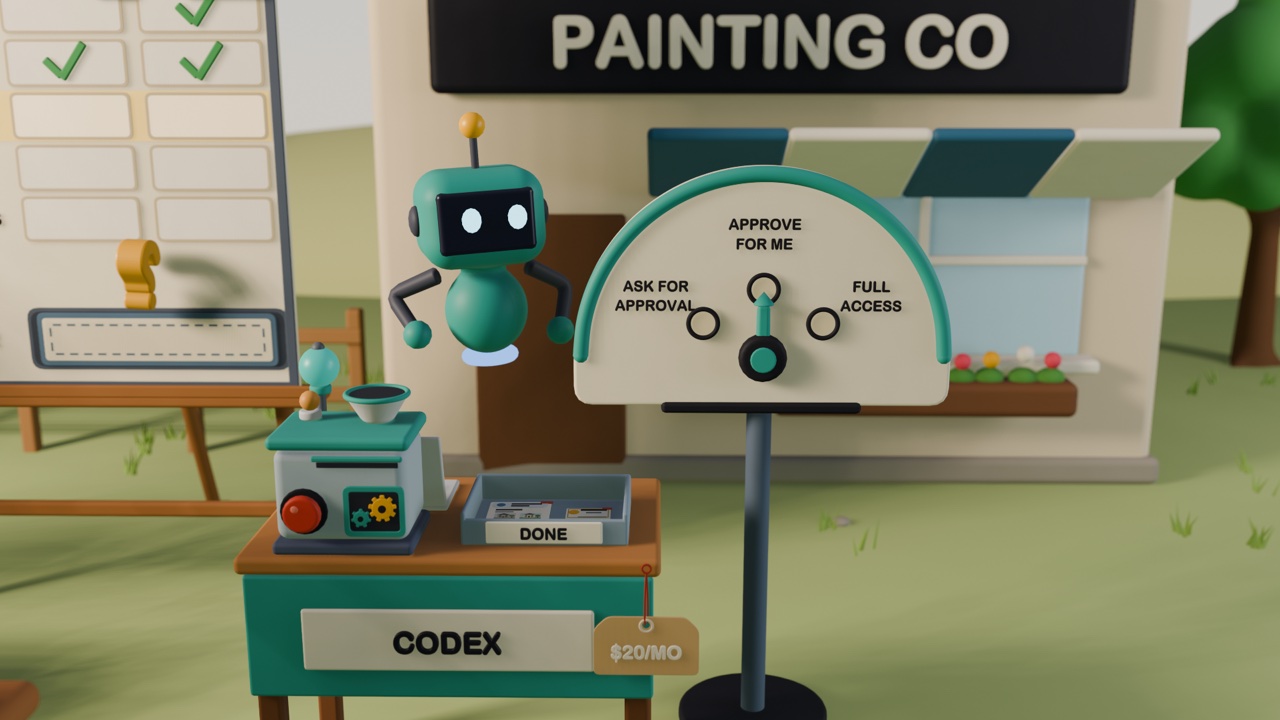
What both have
An automatic reviewer
Approve for me in Codex. Auto in Claude Code.
A plan mode
/plan in Codex. Plan in Claude Code.
An all-access mode
Full access in Codex. Bypass permissions in Claude Code. Both makers warn about it.
So the menus differ. Codex's suggested setting trusts it inside the folder. Claude Code also offers Manual, which asks about every change. Round four is a tie.
Not documented: neither desktop app names a fixed starting setting. OpenAI recommends starting with Ask for approval; Anthropic remembers the mode for each folder and says to check the selector before your first message. (In Claude Code's terminal and VS Code versions, from v2.1.283, Auto is the starting mode.) Codex also has a read-only setting in its terminal version and settings file, and the app's menu can include "named or custom permissions profiles."
Round 5: working while you're away
Dana wants the kit to run on its own, every Friday at five, for any job that finished that week.
| Codex | Claude Code | |
|---|---|---|
| Scheduled tasks on your computer | In the ChatGPT desktop app: "Keep the computer on and the app running when a scheduled task needs local files." ChatGPT's pricing page lists scheduled tasks on Go, Plus and Pro, not Free. | In the Claude desktop app. A local task "runs on your machine with direct access to your files and tools, but only fires while the app is open and your computer is awake." |
| In the cloud | Codex Cloud, from Plus (not on Free or Go). "Choose your GitHub repositories" (GitLab projects work too, in beta), and "Each task has its own workspace and can keep working while your computer is asleep." | Cloud sessions, from Pro. "You'll need a GitHub repository to get started" (or bundle a local one from the terminal), and a session "keeps running if you disconnect." |
| From your phone | The ChatGPT phone app: "Follow progress, approve actions, and send instructions from your phone. Codex runs tasks in the cloud or on a connected computer." And: "Get notified when ChatGPT completes a task or needs your attention." | The Claude app for iOS and Android: "Start, monitor, and steer Claude Code tasks from your phone." Push notifications, "typically when a long-running task finishes or when it needs a decision from you." |
In the cloud, the work runs on the company's own computers, so it keeps going with your laptop closed. But cloud coding starts from a project stored online, usually on GitHub, a site where programmers keep their code.
For a folder of photos on Dana's computer, the scheduled task at the office is the one that fits. So she leaves the office computer on and awake, with the app open, and sets the same Friday task in both. Round five is a tie.
Not settled: OpenAI's Codex phone pages name the iPhone app for the Codex view, while its remote-connections page says a computer can be controlled from ChatGPT on iOS or Android. Cloud plan details: Codex Cloud is on "eligible Plus, all Pro tiers, Business, Enterprise, Healthcare, and Education accounts, subject to rollout and workspace settings"; Claude Code's cloud sessions are "available on Pro, Max, Ultra, and Team plans, and for Enterprise users with premium seats or Chat + Claude Code seats."
Round 6: connecting your other tools
Dana keeps her customer list, with every name and address, in a sheet in her Google Drive. She wants the kit to read it from there.
A plugin
- Open the Plugins tab.
- Find Google Drive, and install it.
OpenAI: "Install the Google Drive plugin to work across Drive, Docs, Sheets, and Slides." ChatGPT and Codex share one plugin directory: "After installation, you can use plugins in Chat or Work in ChatGPT, or in Codex."
A connector
- Click + next to the message box.
- Choose Add connectors, and connect Google Drive.
Anthropic: "Connectors are MCP servers with a graphical setup flow." And connectors you add in Claude's chat show up in Claude Code too: "MCP servers you've added in claude.ai, known as connectors, are automatically available in Claude Code."
Now, in both, the kit can pull each customer's name and address straight from that sheet.
Underneath: MCP and skills
MCP, the shared plug
Both use the same open standard for connections, the Model Context Protocol. OpenAI: "Model Context Protocol (MCP) lets ChatGPT and Codex use tools and information from other systems." Anthropic calls it "an open source standard for AI-tool integrations."
Skills, saved instructions
Saved instructions for work you repeat, like making the finished-job kit. Both follow the open Agent Skills standard (agentskills.io). Dana saved hers as a skill in each, so she can ask for it by name. Codex: "You can also select one explicitly." Claude Code: "invoke one directly with /skill-name."
Not documented: saving the PDFs into a Google Drive folder. Anthropic's Google Workspace connector page lists uploading files and creating folders. No OpenAI page read for this episode says its Drive plugin can save a file into a folder (OpenAI's Help Center turns away automated readers), so in the episode the kit only reads the sheet.
Round six is a tie.
The scorecard
Five ties, and one round to Codex. That's the real surprise: for a business owner, these two are close to twins. The same kind of app, the same $20 price, the same kind of safety controls, and the same open standards.
| Round | Result |
|---|---|
| 1. Setting it up | A tie |
| 2. What it costs | Codex, for its free way in |
| 3. The same build | A tie |
| 4. What it asks first | A tie |
| 5. Working while you're away | A tie |
| 6. Your other tools | A tie |
Where Codex has the edge
- A free start, with limits.
- The $8 Go plan.
Where Claude Code has the edge
- Claude Pro costs less than ChatGPT Plus by the year: $17 a month, against $20.
- Its Manual mode asks about every change.
What isn't on the board: which one is smarter
Since July, both companies have released several new models. OpenAI: the GPT-5.6 models in July, then GPT-6 Astra, GPT-6 Sol and Luna, GPT-6.1 Sol, and GPT-6.1 Terra in late October. Anthropic: Claude Opus 5 on July 24, then Fable 5.1 and Mythos 5.1, Opus 5.5, Sonnet 5.5, and Haiku 5.5 on October 7. That race changes faster than any video can keep up with.
The one question
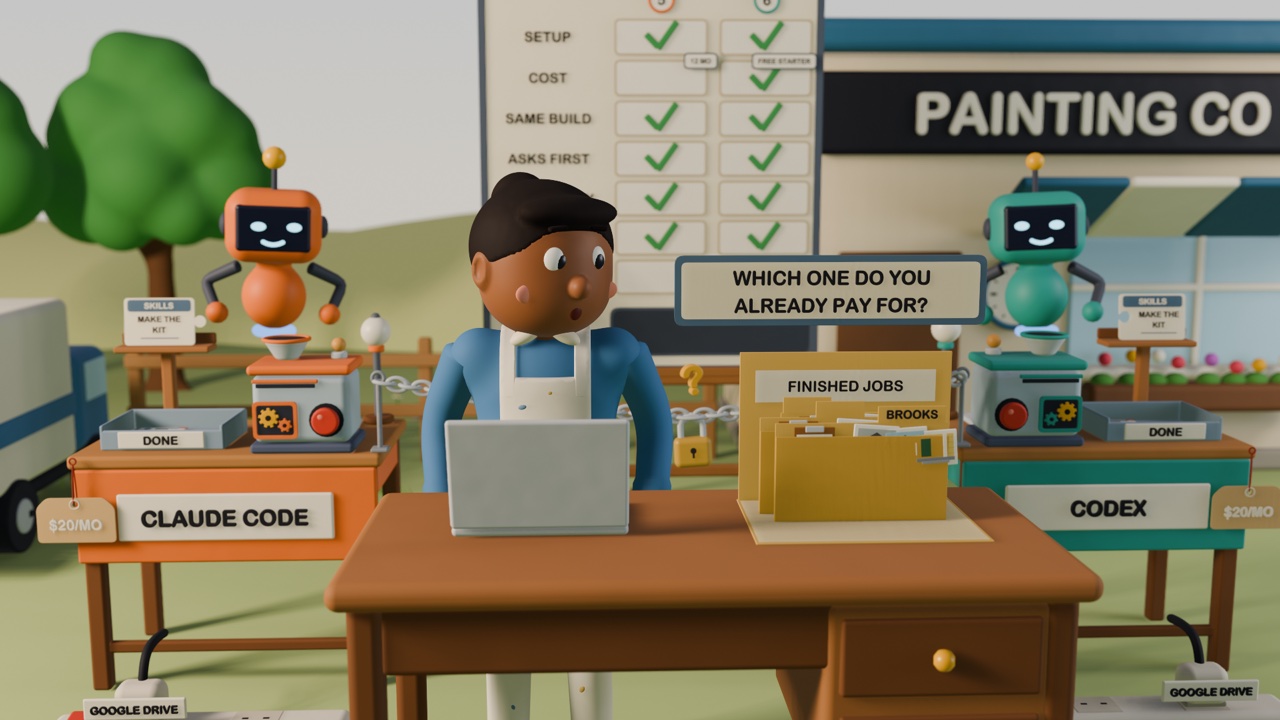
It takes ten seconds: which AI subscription do you already pay for?
| If you pay for | Start here |
|---|---|
| ChatGPT, any plan | You already have Codex. Open the ChatGPT desktop app, and pick Codex. |
| Claude Pro or above | You already have Claude Code. Open the Claude desktop app, and click the Code tab. |
| Neither | Codex lets you start for free, with limits. Claude Code needs Pro from day one. |
| Both | Give them the same request, the way Dana did, and keep the one you reach for. |
And if what you really want is reports, spreadsheets and decks, not software, both companies point you to the everyday side of the same app: ChatGPT Work, or a normal Claude chat.
Either one can build the kit. The one you already open every day is the one that will.
Dana already pays for Claude Pro, so she kept Claude Code. Her crew lead already had ChatGPT, so he kept Codex. They both won.
You're not locked in
The thing that makes the choice less scary: each one can import the other's setup.
The ChatGPT desktop app imports
OpenAI: "Use the import flow to bring instructions, settings, skills, plugins, projects, and recent work from another agent into the ChatGPT desktop app or Codex CLI. The desktop app can import from Claude Code, Claude Cowork, or Cursor." And: "Importing doesn't change or delete your existing agent setup."
An import command
/import codex brings "configuration from OpenAI Codex ... into Claude Code, including instruction files, MCP servers, commands, subagents, and skills." Claude Code also reads Codex's instruction file, AGENTS.md: "Claude can also read a repository's AGENTS.md files in place of CLAUDE.md."
And the skills follow the same open format in both. The kit itself is just files, sitting in Dana's own folder on her own computer: the tool, the reports, the warranty cards.
So picking one today doesn't trap you tomorrow.
Where it stops
Both tools take a small business a long way: a finished-job kit, a quote calculator, a simple page for the crew.
Check the first few
Whichever one built it, check the first few reports yourself, every name and every date, before they go to a customer. The tool works in your name.
There's a line
A kit on one office computer is a helper, not a system. When the report has to flow into your invoices, your schedule and your customer records, every day, for every crew, and keep working when something breaks at two in the morning, that's real software, built around the way your business runs.
The free checklist: Codex vs Claude Code, side by side
The setup steps for both, the prices side by side, Dana's request ready to copy into either one, and the one question. Print it, or keep this page open.
Set up Codex (4 steps)
Set up Claude Code (4 steps)
The prices, side by side
Checked November 4, 2026, in US dollars.
| Plan | Codex | Claude Code |
|---|---|---|
| Free | ChatGPT Free, $0, limited | Not on Claude Free |
| The cheap plan | ChatGPT Go, $8 a month, limited | None |
| The $20 plan | ChatGPT Plus, $20 a month, monthly only | Claude Pro, $20 a month, or $17 billed yearly |
| Bigger plans | ChatGPT Pro, from $100 a month | Claude Max, $100 a month; Ultra, $200 |
| Teams | Business, $20 a person billed yearly, $25 monthly | Team, $20 a person billed yearly, $25 monthly |
Dana's request
Switch to plan mode first (/plan in Codex, Plan in Claude Code's mode selector), then copy it into either one, and swap in your own business, your own jobs and your own warranty.
In this folder, build me a simple tool. When I add a finished job's folder, with photos and the crew's notes, make two PDFs. First, a one-page finished-job report: the customer's name and address, before-and-after photos, the colors and paint we used, and the dates. Second, a warranty card, with the two-year warranty's end date. Use our logo. Then test it on Hal Brooks's job, and check every date.
Make the before-and-after photos bigger.
What it asks before it acts
Every Friday at five
Connect Google Drive
The one question
Before anything goes out
The docs
Each company's own pages, for the setup and each step.
Sources
Where the facts in the episode come from, checked November 4, 2026. The docs for each step are in the checklist above.
OpenAI: Codex and ChatGPT
Anthropic: Claude Code and Claude
Ready for a system, not just a helper?
That's what Benmore's forward deployed engineers do. They build inside your business: they find the work worth automating, and they build it with AI, properly, around the way your business runs.
Talk to Benmore