Claude Design Explained From Zero: Proposals, Flyers and Clickable Mockups for Small Business
Everything from episode 16 in one place: what Claude Design is and why older videos show a different website, what it makes, and the five-step setup. Then three real builds for one bid (a one-page proposal, a door hanger with a matching post, and a color picker you can click), three ways to change a design, how to send it to people who don't use Claude, what it costs, where it trips, the brand kit, and a free checklist with every request Dana typed, ready to copy.
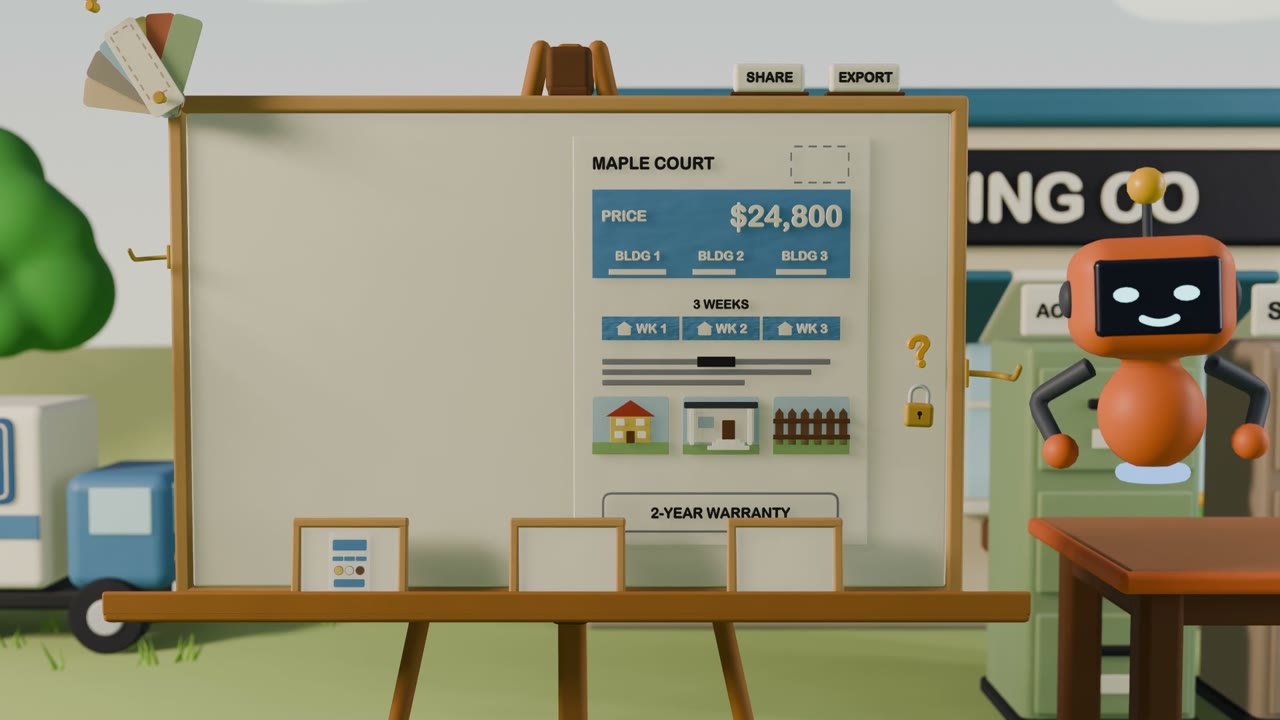
Three bids on Rosa's desk
Thursday afternoon, and Rosa has a decision to make. She manages Maple Court, forty apartments with tired brown trim, and she's choosing a painter by Monday.
Three companies have bid. Two sent polished proposals: photos, a clean price table, a logo on every page. Dana's is a price, in an email. That has always worked for Dana, because most of her customers heard about her from a neighbor. Rosa hasn't.
Dana's work is as good as anyone's. Her paperwork doesn't show it.
Claude Design, from zero
AI, the kind everyone's talking about, is a program that learned from an enormous amount of text and pictures. Ask it something, and it answers one word at a time.
Claude is the AI made by a company called Anthropic. You chat with it on its website, claude.ai, in its app for Mac or Windows, or in its app for iPhone or Android.
Claude Design is part of Claude. You describe something visual in plain words, and it appears on a canvas beside your chat, where you can see it, click it, and change it. If Claude needs more to go on, it asks you first.
Why older videos look different
April 17, 2026
Anthropic launched Claude Design as a separate website, claude.ai/design, for paid plans only.
September 16, 2026
It moved into every Claude conversation, and Claude Design, Claude Slides and Claude Docs came to every plan, Free included.
December 14, 2026
The old website closes. After that it's read-only, and you can't start new projects there.
Videos made before September show that old website. Everything here happens inside a normal Claude chat.
What it makes
Anything visual you'd put in front of someone. Anthropic's own list for the Design template: visuals, mockups, prototypes, one-pagers, and landing pages.
For a small business
A proposal
One that looks the part.
A flyer, a door hanger, or a menu
Ready for a print shop.
A matching post
For social media.
A price sheet
Your prices, laid out cleanly.
A mockup
Of a page or a tool, before anyone builds it for real.
Its two siblings
Claude Slides
Presentations built from your notes, or the work already in your chat. Edit any slide, present without leaving Claude, and export to PowerPoint or PDF.
Claude Docs
Living documents you write with Claude and your team, at the same time.
All three sit in the same menu, and all three come with every plan.
Claude Design knows design. It doesn't know your business. The words, the prices, and the promises are yours.
Set up Claude Design in 5 steps
From nothing.
Go to Claude
Go to claude.ai in your browser, or download the Claude app for Mac or Windows from claude.com/download.
Make an account
The free plan includes Claude Design. Dana's on Pro, which is $20 a month, or $17 a month if you pay for the year ($200 up front). Sharing by link, handing a design to Claude Code, and design systems need a paid plan.
Start a new chat
Every design starts in a normal chat.
Choose Design
In the message box, click Output, and choose Design. Or open the Artifacts tab in the sidebar, and pick a Design template. You can also just ask for a design in plain words.
Check one setting
Open Settings, then Capabilities, and check that Create and edit files is turned on. Claude Design needs it. Its older name is Cloud code execution and file creation.
On a Team or Enterprise plan, that setting is under Organization settings, then Capabilities. Everything you make is saved in the Artifacts tab. In the iPhone and Android apps you can ask for a design, open it full screen in the Artifacts tab and edit it, but sharing settings change only on the web or in the desktop app.
Build one: the one-pager
First, the proposal. Dana gathers what she has: the price from her email, her notes from walking Maple Court, and three photos of past jobs.
1. Attach the photos, choose Design, and type
A one-page proposal for repainting the trim and doors at Maple Court, a forty-unit apartment complex, for the property manager, Rosa. Lead with the price and the schedule: three weeks, one building at a time, and every door usable every day. Then the prep work, the paint we use, and our two-year warranty. Use these three photos. Keep it clean, and easy to read on a phone.
2. Answer its questions
Claude asks two questions before it starts. Should the price be broken down by building? And is there a logo? Dana says yes to the breakdown, and no logo, for now.
3. Look at the first draft
The one-pager appears on the canvas beside the chat: the price up top, a three-week timeline, the photos in a row, and the warranty in a box at the bottom. It's a good first draft. And Dana has notes.
The shape of a good request
Anthropic recommends four things in every design request. Dana's has all four.
The goal
What you're making: a one-page proposal.
The layout
How it's arranged: price and schedule first.
The content
What it says: the prep, the paint, the warranty, three photos.
Who it's for
Rosa, the property manager, reading on a phone.
You can attach screenshots, photos, or an existing deck or document whose style you like, for "make it look like this" requests. Claude Design can also import Word, PowerPoint and Excel files (DOCX, PPTX and XLSX).
Three ways to change it
Each one suits a different kind of change.
The chat
Dana types: "Make the timeline bigger, and show me three different layouts." Asking for options is often faster than describing exactly what you want. She picks the second one.
A comment
Click right on the part you mean, and type. Dana clicks the warranty box: "Make this stand out more." Claude changes that part, and leaves the rest alone.
Your own hands
Edit right on the canvas: drag, resize, and line things up. Dana drags a photo, makes the price bigger, and fixes a word.
Claude can even add little sliders beside the design, so you can nudge the spacing or a color and watch it change.
Two more habits
Ask for a review
Claude can review its own work: whether the text is easy to read, whether the most important thing is what people see first, and how easy it is to use.
Save before big changes
There's no version history yet. So before any big change, tell it the line below. It saves where you are first, and tells you where it saved it.
Save what we have and try a completely different approach.
Anthropic's other tips: start simple and add detail as you go, and be specific in feedback. "This doesn't look right" is hard to act on. Naming the exact change works better.
Build two: the door hanger
Rosa's biggest worry is her tenants. So Dana adds something no other bid has: the door hanger every tenant would get the week before the crew arrives.
1. Start a new design, and type
A door hanger for the tenants at Maple Court. Friendly, not corporate. Say that painters will be at their building the week of the third, that their door stays usable all day, and who to call with questions. Leave a blank at the bottom for the building number.
2. Ask for a matching post
Now the same message as a square post, so Rosa can share it in the tenants' group online.
Claude makes a matching post.
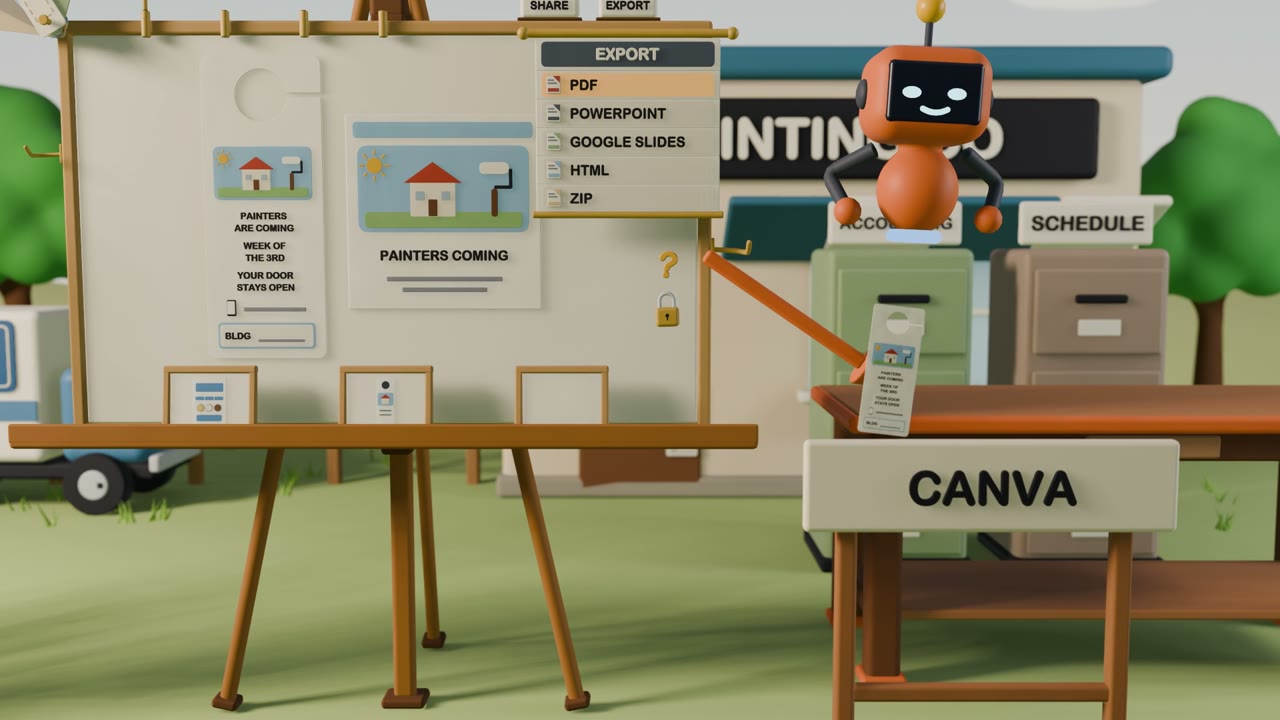
3. Export a PDF
When it's right, click Export, at the top right. Dana saves a PDF, ready for a print shop.
| Export choice | Good for |
|---|---|
| Printing, and emailing to anyone. | |
| PowerPoint (PPTX) | Opening and editing in PowerPoint. |
| Google Slides | Opening and editing in Google Slides. |
| Standalone HTML | A single web page file. |
| .zip | Downloading all the files. |
| Send to another tool | Adobe Experience Manager, Adobe for Creativity, Adobe Journey Optimizer, Base44, Canva, Gamma, HubSpot, Hyperframes, Lovable, Miro, Netlify, Replit, v0, Vercel and Wix. |
| Hand off to Claude Code | Turning a design into real software (paid plans). |
If you already use a tool like Canva, Claude Design can send the design straight there, to keep editing. Anthropic doesn't list print sizes or bleed, so ask your print shop what they need.
Build three: the color picker
Rosa mentioned one more thing on the phone. The building's owners want a say in the new trim color. So Dana makes something they can click.
Dana types:
A clickable color picker for Maple Court. Show a simple drawing of the front of one building. Under it, three buttons: Classic White, Slate Blue, and Forest Green. When someone clicks a button, the trim and doors in the drawing change to that color. Big buttons, for a phone.
That last line follows one of Anthropic's own tips: say early whether a design has to work on a phone, a tablet, or a computer screen.
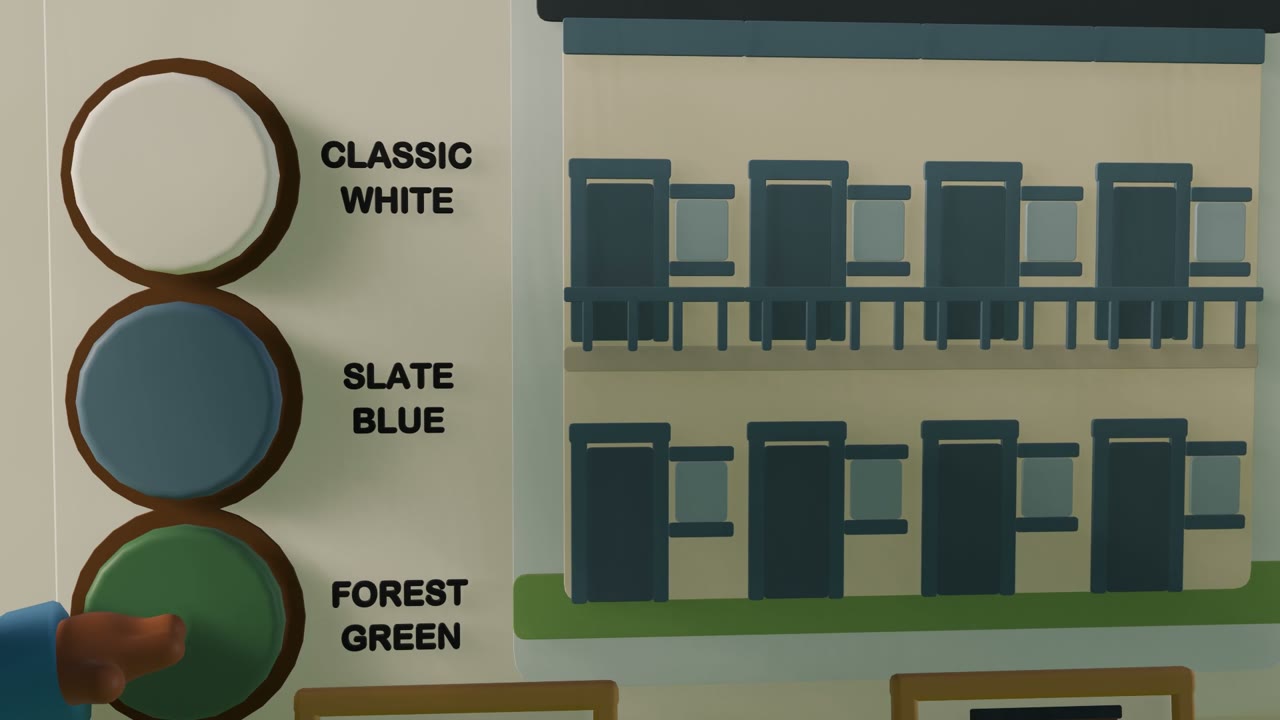
Claude builds it, and it works. Click Slate Blue, and the building changes. Click Forest Green, and it changes again. Anthropic calls this a prototype: it looks and clicks like the real thing.
Rosa wants every owner to try it on their own phone, before Monday. None of them use Claude.
Making it real: send it to Replit
When a design needs to become a real app, with its own web address, Claude Design can send it on. One place it can go is Replit, an app builder that puts apps on the internet. Dana tries it with the color picker.
Send it to Replit
Choose Send to Replit. Anthropic lists the send-to tools under Export. Replit's docs put it under Share, then Send to….
Approve the connection
Sign in to Replit (make a free account if you don't have one), approve Claude on Replit's consent screen, and pick a workspace.
Let the agent work
Replit makes a project from your design, and its agent starts a task called Turn this Claude design into a real app. Agent work can use credits.
Publish it
Click Publish, and keep the address ending in replit.app. Choose Public if anyone with the link should be able to open it.
From there, it's an app that Replit runs, and Dana can keep building on it.
Replit says Send to Replit appears only when Claude offers Replit as a destination for your design, so it may not show for every account yet. On Replit's free Starter plan you get one published app, and it goes down after 30 days. You can publish it again.
Or hand it to Claude Code
On a paid plan, there's one more way: hand the design to Claude Code, Anthropic's tool for building software. It keeps building from the design itself, instead of starting over from a picture. In Export, choose Handoff to Claude Code, then Send to local coding agent or Send to Claude Code Web. Claude Code is explained from zero in episode 7.
What it costs
Checked November 4, 2026. Prices change, so check each pricing page before you pay.
| Plan | Price | For design |
|---|---|---|
| Claude Free | $0 | Claude Design, Slides and Docs. A usage limit that resets every five hours. No sharing by link. |
| Claude Pro | $20 a month, or $17 a month billed yearly ($200 up front) | Sharing by link, inviting people by email (beta), handing off to Claude Code, and design systems (beta). |
| Claude Max | $100 a month | The same, for heavy use. |
| Replit Starter | Free | Daily credits for its agent, up to a monthly cap, and one published app that goes down after 30 days. |
Claude Design has no separate charge. It counts toward the same usage limits as everything else you do with Claude, and a big design uses more than a typical message. When you reach the limit, you wait for the reset. On a paid plan with usage credits turned on, you can keep going.
For Dana, the one-pager and the door hanger cost nothing on top of the Pro plan she already had.
Anthropic publishes no message counts for the free plan: the number varies with demand. It also states no plan limit for Export, and we didn't test exporting on the free plan.
Where it trips
Claude Design is good. It also trips in a few places, and Anthropic lists them itself.
No version history yet
That's why Dana saves before every big change.
Comments can go missing
Comments sometimes disappear before Claude reads them. If a comment doesn't seem to land, paste the same words into the chat. Anthropic also says a comment missing from the page may still be in the comments view.
Two at once
Two people editing the same design at the same time is still basic, and may not work reliably. Take turns.
On the phone
In the phone app you can ask for a design and edit it, but sharing settings change only on the web or in the desktop app.
And the most important one. Claude Design writes in your name. Read every word, and check every price and date, before anything goes out.
The brand kit
Friday afternoon, before anything goes out, Dana lays the proposal and the door hanger side by side. Both look good. But they're two different blues, and neither one is the blue on Dana's van. Nothing says they came from the same company.
Attach your brand
Attach your logo, a photo of your van or your shop, your business card, and a flyer you've always liked to each request. Then say: make it look like this. Claude works from what you attach.
Build a design system, once
Ask Claude to build a design system from those same things. It's a saved style for your business: your colors, your fonts, and the way your pages are laid out. From then on, new designs and decks pick it up on their own.
You'll find it again in Settings, then Capabilities: select Manage next to Design systems. If it isn't there, go to Settings, then Design systems.
Anthropic's advice is to give it real examples, not just colors. A finished flyer tells it more about your style than a color chart does. If the first try doesn't capture your brand, upload more, or different, examples.
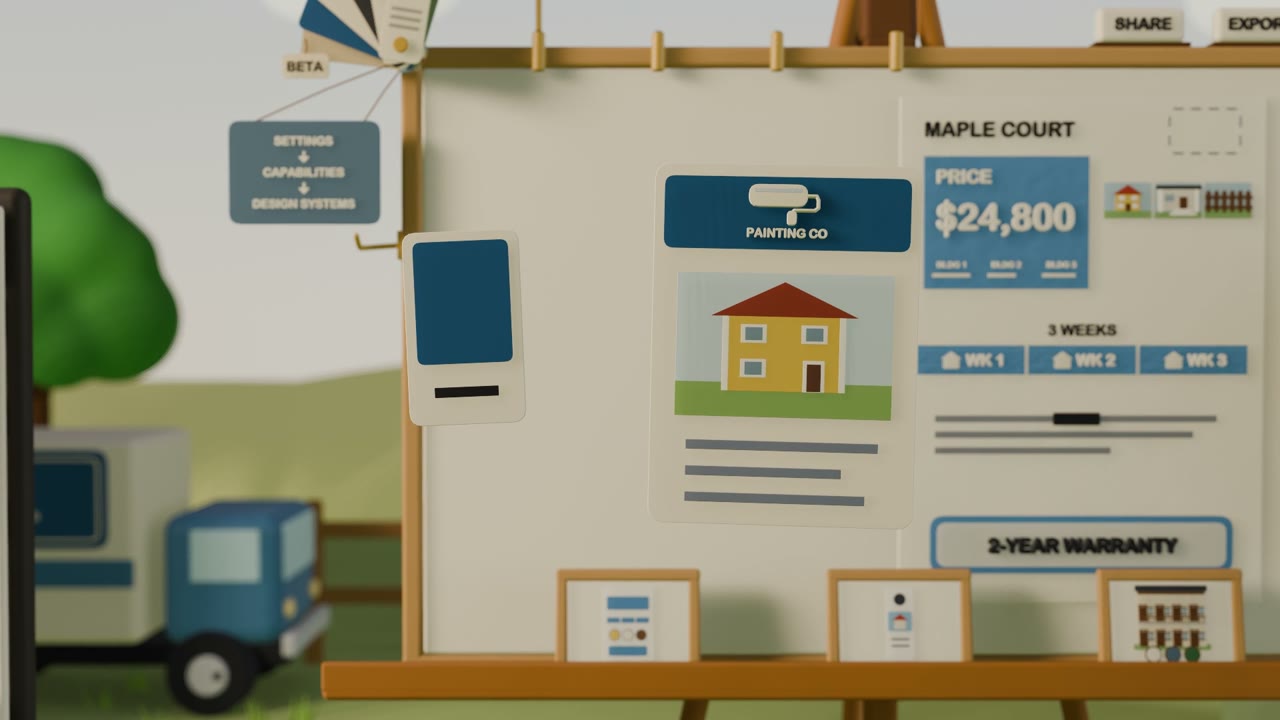
Dana uploads her logo, a photo of the van, her business card, and the one flyer she's always liked. Claude builds her design system. Then she asks for fresh versions of the proposal and the door hanger, built with it, with her logo at the top. This time, they're one company: the van's blue, her fonts, on every page.
She sends both that evening.
Anthropic says new work picks up a design system. We found nothing saying it restyles designs made before it existed, so ask for fresh versions, as Dana did. A deck or a PDF that already looks like your brand works as a source too.
Where it stops
Claude Design takes a small business a long way: proposals, flyers, posts, and mockups that look like you.
Start with one piece of paper
This week, pick the one piece of paper you hand out most, and ask Claude Design for a better one.
There's a line
A mockup shows what a tool could look like. When the tool has to be real, with customer logins, payments, or a connection to the systems you already run, like your scheduling and your accounting, it needs someone who knows what happens when it fails at two in the morning.
The free checklist: Claude Design for small business
The five setup steps, every request Dana typed, ready to copy, and the brand kit list, on one page. Print it, or keep this page open.
Set up Claude Design (5 steps)
A good request
Changing it
Every request Dana typed
Copy them, then swap in your own business, your own prices and your own customers.
A one-page proposal for repainting the trim and doors at Maple Court, a forty-unit apartment complex, for the property manager, Rosa. Lead with the price and the schedule: three weeks, one building at a time, and every door usable every day. Then the prep work, the paint we use, and our two-year warranty. Use these three photos. Keep it clean, and easy to read on a phone.
Make the timeline bigger, and show me three different layouts.
Make this stand out more.
Save what we have and try a completely different approach.
A door hanger for the tenants at Maple Court. Friendly, not corporate. Say that painters will be at their building the week of the third, that their door stays usable all day, and who to call with questions. Leave a blank at the bottom for the building number.
Now the same message as a square post, so Rosa can share it in the tenants' group online.
A clickable color picker for Maple Court. Show a simple drawing of the front of one building. Under it, three buttons: Classic White, Slate Blue, and Forest Green. When someone clicks a button, the trim and doors in the drawing change to that color. Big buttons, for a phone.
Sending it
The brand kit list
Before anything goes out
The docs
Each tool's own pages, for the setup and each step.
Sources
Where the facts in the episode come from, checked November 4, 2026. The docs for each step are in the checklist above.
Ready to make the mockup real?
That's what Benmore's forward deployed engineers do. They build inside your business: they find the work worth automating, and they build it with AI, properly.
Talk to Benmore