n8n vs Claude Code for Small Business: Which One Should You Use?
Everything from episode 14 in one place: what AI, Claude Code and n8n are, the one real difference between them, both setups step by step, and the same job built in each: answering and logging every quote request. Plus what each costs, where each one wins, the one question that picks, using both at once, the switch that lets Claude Code build n8n automations, and a free checklist with every request Dana typed, ready to copy.
A request that waited all weekend
Saturday, nine in the morning. A homeowner fills in the quote form on Dana's website: the fence and the back deck, before the first frost. Then she waits.
Dana is up a ladder across town, and her phone is in the van. The request sits in her inbox all weekend. On Monday morning, Dana writes back. The homeowner has already booked another painter: the one who answered in ten minutes.
So Dana wants something that answers every request within minutes, and writes it down. Her crew lead has watched every video on this, and he says: use n8n. Dana says Claude Code can do it.
They're both right. And they're both a little wrong, because these two tools do different kinds of work.
Claude Code, from zero
AI, the kind everyone's talking about, is a program that learned by reading an enormous amount of text. Ask it something, and it writes back one word at a time, always guessing the most likely good next word.
Claude is one of these AIs, made by Anthropic. Claude Code is Claude with hands. It works on your own computer, inside a folder you choose. It can open the files in that folder, write new ones, run them, and check the result. You describe what you want in plain words, and it works out the steps itself.
Its loop
It looks
At what it has to work with.
It makes a plan
What it means to do.
It acts
It writes a file, or runs one.
It checks
The result. And if something's off, it goes around again.
Keep that in mind: Claude Code thinks its way through every task, fresh, each time.
n8n, from zero
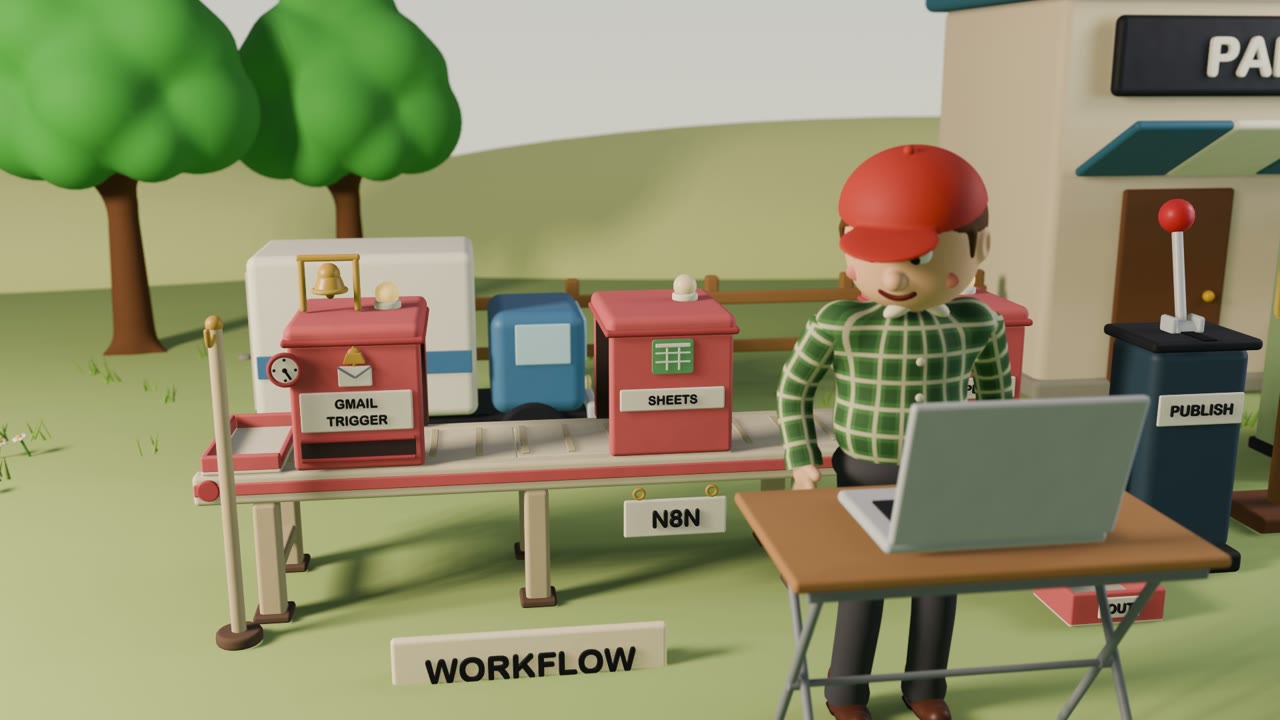
n8n (say it "n-eight-n") is short for "nodemation", and it's an automation tool. You build an automation by connecting boxes on a screen, like a flowchart. n8n calls each box a node.
The trigger
The first box is what starts it. A new email. Someone filling in a form. Or simply eight o'clock every morning.
Every box after it
Does one thing, and hands its result to the next: add a row to a spreadsheet, send a reply, post a message to your team.
There are boxes for hundreds of apps, from Gmail to QuickBooks to Slack, and more than 13,000 ready-made automations to start from.
Once it's built, n8n runs the same boxes, in the same order, every single time. On its own, it doesn't think. It follows the map you drew. And that's exactly what makes it dependable.
The one big difference
Anthropic, the company that makes Claude, has names for the two kinds of work.
A workflow
Follows steps that were laid out in advance.
An agent
Decides its own steps as it goes.
Anthropic's own guide says workflows give you predictability and consistency for well-defined tasks, and agents are the better choice when a job needs flexibility, with decisions made along the way. It also says agents trade time and cost for better results.
Picture a conveyor belt next to a robot at a workbench. The belt moves every box the same way, all day. The robot can handle the odd box that doesn't fit, but it thinks about every box, and thinking takes longer and costs more.
Calling n8n a workflow and Claude Code an agent is our plain-words fit to Anthropic's definitions. n8n can also call an AI as one of its boxes: that's both at once, below.
Set up Claude Code in 5 steps
Here's Claude Code, from nothing.
Install the Claude app
On your computer, go to claude.com/download and install the Claude app. It works on Mac and Windows.
Sign in, on a paid plan
Open it, and sign in or make an account. Claude Code needs a paid plan. The cheapest one that includes it is Pro, at $20 a month, or $17 a month if you pay for the year ($200 up front).
Click Code
It's at the top of the app's sidebar.
Open your folder
Make a folder for the project, the normal way. Under the message box, choose Local, so it works right on your own computer. Then click the folder button beside it, choose Open folder…, and pick that folder.
Connect Gmail
Click the + button next to the message box, choose Add connectors, and connect Gmail. It sends you to Google to sign in. (If the menu shows Connectors instead, choose it, then Browse connectors.)
Prefer the terminal?
You may hear that Claude Code runs in a terminal, a plain window where you type instructions instead of clicking. That version exists too, but the app does the same job with buttons. The one-line terminal install is on episode 10's page.
Set up n8n in 3 steps
And n8n, from nothing. It runs in your web browser, so there's nothing to install.
Start the free trial
Go to n8n.io, and click Get started. That starts a free trial of their cloud version: 14 days, up to 1,000 runs, and no credit card.
Make your account
n8n gives you your own copy, hosted for you, so it keeps running when your laptop is closed.
Pick a plan before the trial ends
The smallest, Starter, is €24 a month, or €20 a month if you pay for the year, for 2,500 runs a month. If the trial ends without a plan, n8n deletes your copy (you can still download your automations for 90 days).
What's a run?
One trip through the whole automation, however many boxes it has. When it checks your inbox and finds nothing new, that doesn't count as a run at all, and neither do the test runs you start yourself.
Run it yourself?
There's also a free version, the Community edition, that you can run on your own server, but setting it up takes technical know-how. n8n's own guide points everyone else to the cloud version.
n8n's pricing page shows its prices in euros, with no dollar price.
The n8n build: the crew lead's version
The job: answer every quote request within minutes, and write it down. The crew lead goes first.
Create workflow
At the top right. He gets a blank canvas.
The trigger: Gmail
He clicks Add first step, searches for Gmail, and picks the Gmail trigger, for when a message is received. He signs in with Google, right there in the box. Then he sets it to check every few minutes, and only for emails with "quote request" in the subject.
Log it: Google Sheets
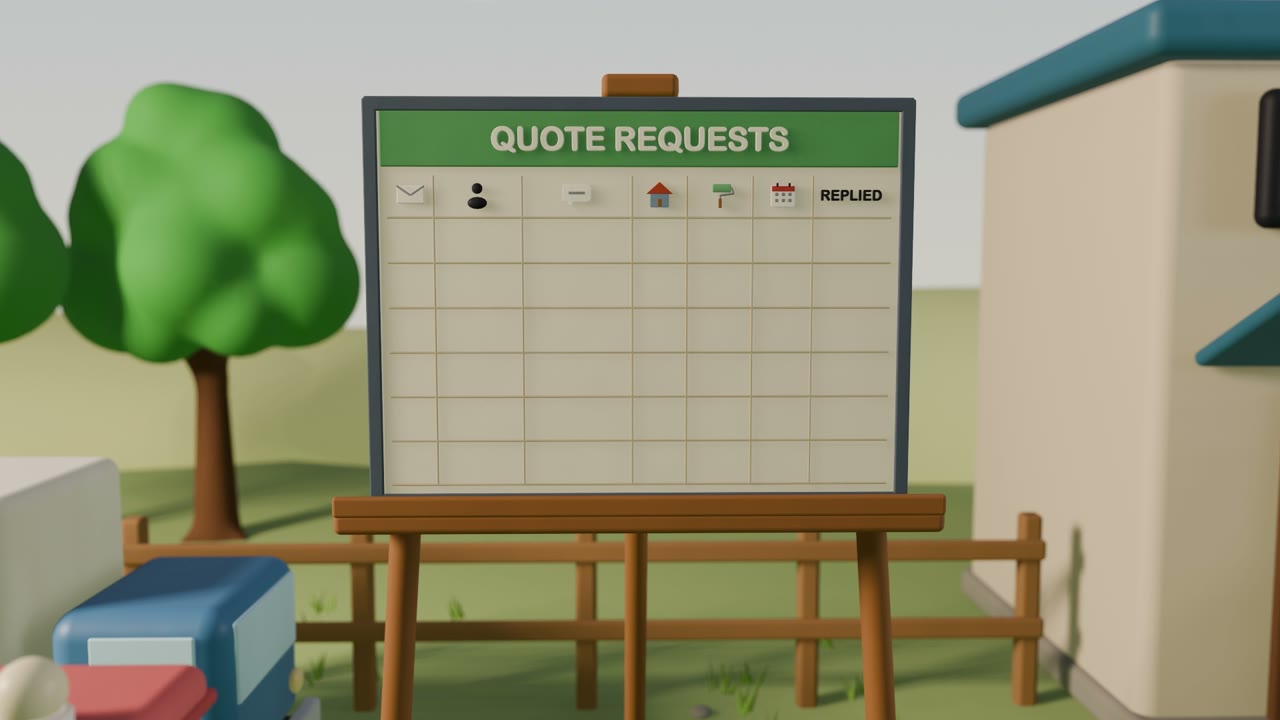
He clicks the + after it, and adds a Google Sheets box: Append row. Every request becomes a line in the quote requests sheet: who it's from, and the subject.
Reply: Gmail
One more box: Gmail, Reply to a message, with the reply below.
Test it, then publish
He sends himself a test request, and clicks Execute workflow. The row appears. The reply arrives. So he clicks Publish. From now on it runs by itself, day and night, the same way every time.
The crew lead's reply:
Thanks for your request! Dana will call you today to book a free visit.
To stop it, click Published at the top right, then Unpublish. Older videos show an "Active" switch instead of Publish.
The Claude Code build: Dana's version
In Claude Code, she doesn't draw boxes. She describes the job, in plain words.
1. Describe the job
In the folder she opened, with Gmail connected:
Check my Gmail for new quote requests. For each one, add a line to the quote log in this folder: the name, the address, what needs painting, and any deadline. Then write a friendly reply as a draft, and answer anything they asked.
Claude Code reads each email, fills in the log, and leaves the replies in her Gmail drafts. By default, Claude asks before it sends any email, so Dana keeps the replies as drafts, and sends each one from her phone with a tap.
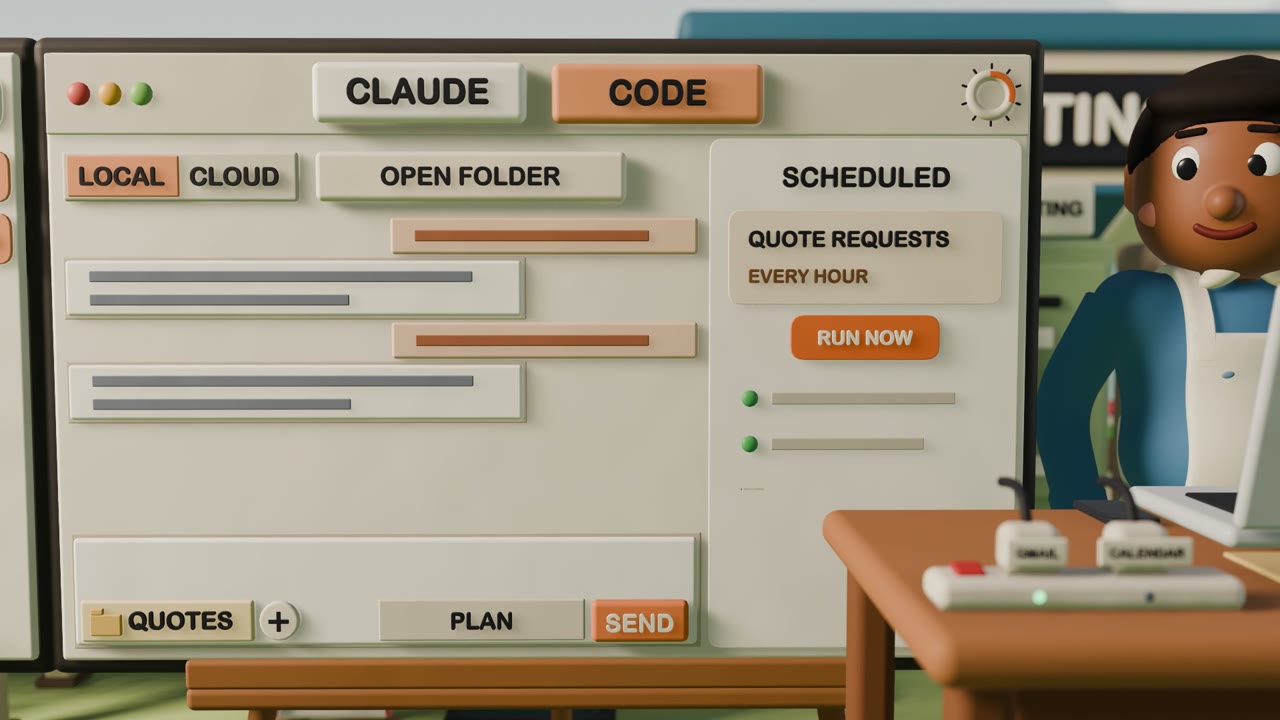
2. Make it run every hour
Set this up as a scheduled task, every hour.
It appears under Scheduled, in the sidebar, with a Run now button and a history of every run. (Some versions of the app say Routines there instead.)
The catch
On her computer
A scheduled task on her computer only runs while the app is open and the computer's awake.
In Anthropic's cloud
Scheduled tasks can also run in Anthropic's cloud, with the laptop closed, but there they run once an hour at most. They start on a clock, or when another program calls them, not when an email arrives.
And every run is a full Claude session that counts toward her plan's usage.
What each one costs
For a job like this one, as of October 2026.
| n8n | Claude Code | |
|---|---|---|
| The plan | Starter, €24 a month, or €20 billed yearly | Pro, $20 a month, or $17 billed yearly |
| What you get | 2,500 runs a month. Each quote request is one run, however many boxes it passes through. | Claude Code comes with the plan. Its runs share one allowance with everything else you do in Claude, with limits that reset every five hours and every week. |
| Adding AI | An AI step is paid separately, from a small prepaid balance of credits. | It is the AI. |
| Laptop closed | Keeps running: n8n hosts it. | A task on your computer runs only while the app is open and the computer's awake. In Anthropic's cloud, once an hour at most. |
So a simple job, repeated hundreds of times, fits neatly into n8n's runs. A job that needs real thinking is where Claude's usage is well spent.
Where each one wins
After a week, here's the scoreboard.
| Round | Winner | Why |
|---|---|---|
| Always on, watching all day | n8n | It lives in the cloud, so the crew lead's laptop can stay in the van. |
| Same steps, same order, every time | n8n | That's what it's built for. |
| Messy words | Claude Code | It reads an email the way a person would. |
| Building things | Claude Code | A quote calculator, a crew schedule, a weekly report. n8n moves information between apps. Claude Code can build the app. |
The yellow house
One homeowner used the form, but wrote this in the message box:
"The yellow house on Elm, by the big oak. Porch, and maybe the shutters? Before Thanksgiving if you can. Call after five."
The crew lead's automation logged the subject line and sent the standard reply, which answered none of it. Claude read it the way a person would: the address, the job, the deadline, and when to call. Hold on to that yellow house: it comes back in both at once.
The one question
Could you write the steps on an index card, and would they be the same every single time?
Use n8n
It'll follow that card all day, every day. For Dana: saving every emailed invoice to the right folder, or sending the crew tomorrow's addresses in the team chat every evening.
Use Claude Code
The steps change with what comes in. For Dana: turning a site visit's scribbled notes into a quote, sorting a month of receipt photos, building the crew's schedule app.
Use both
A fixed routine with one step that needs thinking, which describes a lot of real work. That's Anthropic's advice too: start simple, and add thinking only where it's needed.
Both at once: Claude inside n8n
Here's the yellow house again. The crew lead opens his automation and adds one box.
Add an Anthropic box
Between the trigger and the spreadsheet: Anthropic, Message a model. That's Claude itself, working inside n8n.
Use Gateway credits
On the Starter and Pro plans, pick Use Gateway credits in the box, so there's no separate Anthropic account to set up. It's paid from a small prepaid balance of credits, and new n8n Cloud accounts start with a little free credit.
Tell it what to do with every email
In the box, he writes the instructions below.
The crew lead's instructions for the Claude box:
For every email: pull out the name, the address, the job and any deadline, and write a short, friendly reply that answers their questions.
Now the conveyor does the steady work: it watches the inbox, logs every request, and sends every reply. Claude does the one step that needs reading. An email like the yellow house on Elm gets an answer about Thanksgiving within minutes, even on a Saturday.
The trick: one switch, and Claude Code builds the n8n automation
n8n has a built-in MCP server. MCP is a standard way for AI tools to connect to other apps. It's off until you turn it on. Switch it on, and Claude can build n8n automations for you.
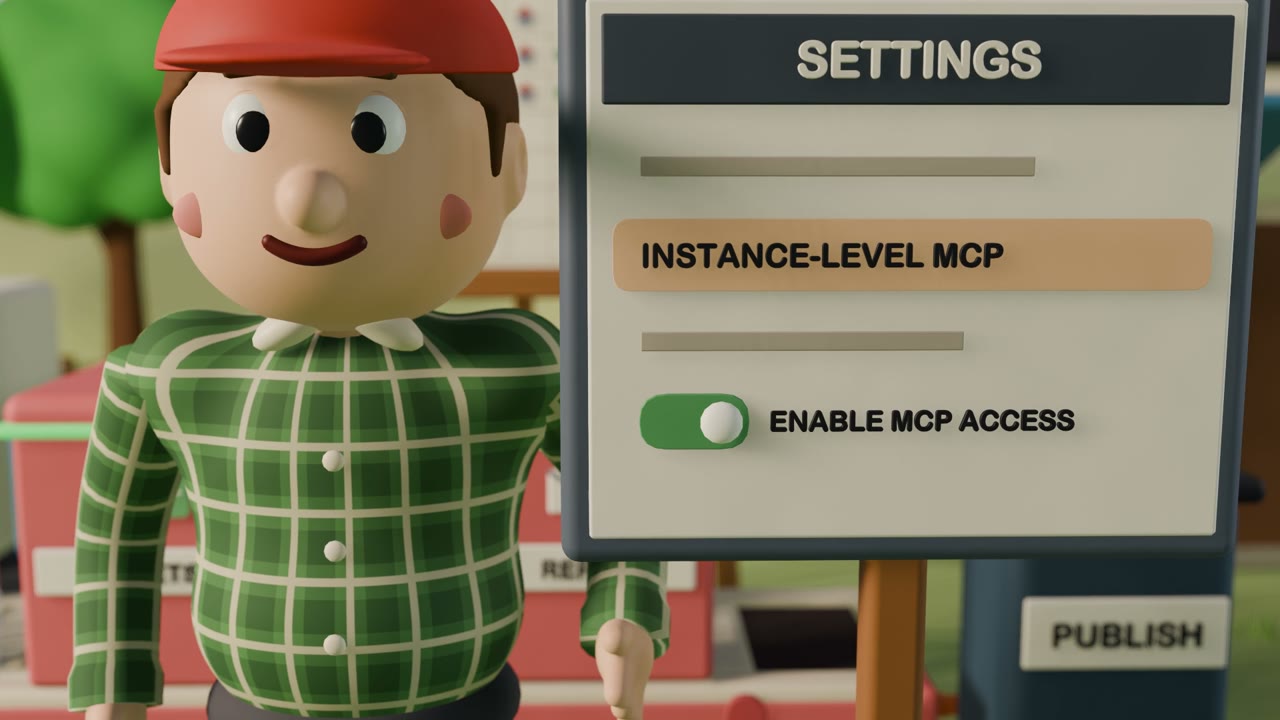
Switch it on
In n8n, open Settings, then Instance-level MCP, and click Enable MCP access. You need to be the owner or an admin of your n8n.
Connect Claude
Click Connect, pick Claude (Claude.ai) from the list of clients, and choose One-click setup. Approve access to finish.
It's in Claude Code too
That adds n8n to your Claude connectors, and connectors you add there show up in Claude Code too, when you're signed in with the same Claude account.
Now Dana just asks:
Build me an n8n automation. When a quote request arrives, have Claude read it, log it in the sheet, and reply.
Claude Code builds the boxes inside n8n, tests them, and tells her what it made. She opens n8n, checks each box, and presses Publish herself.
Who does what
So Dana never drags a box, and the crew lead gets his conveyor belt. Claude Code is the builder. n8n is the machine that runs all day.
Other builders
The same switch works with ChatGPT, too. And n8n has its own builder inside, called n8n Assistant, still in preview, on the Cloud Starter and Pro plans. It asks before it publishes.
Claude can publish through this connection too; Dana chooses to press Publish herself. To let it change an automation you already have, turn on MCP access for that automation as well. New ones don't need it.
Get the free checklist: the one question, both setups, and every request Dana typedWhere it stops
These two tools take a small business a long way: replies, logs, reports, and the small tools around them.
"Succeeded" isn't "done"
Even Anthropic's docs point out that a scheduled run marked "succeeded" only means it ended without reporting a failure, not that the work got done. Open the run and read what happened.
There's a line
When an automation touches customers' private details, or money, or ties five systems together, it needs someone thinking about what happens when one box fails at two in the morning. That's the time to bring in an engineer.
The free checklist: n8n or Claude Code?
The one question, both setups step by step, and every request Dana typed, ready to copy, on one page. Print it, or keep this page open.
The one question
Could you write the steps on an index card, and would they be the same every single time?
| If the job is | Use |
|---|---|
| The same steps, in the same order, every time | n8n. It follows the card all day, every day, even with the laptop closed. |
| Different with what comes in, or it takes judgment | Claude Code. It works out the steps itself. |
| A fixed routine with one thinking step | Both: Claude as one box inside n8n, with Claude Code building the boxes. |
Set up Claude Code (5 steps)
Set up n8n (3 steps)
Build it in n8n, the crew lead's way
Turn on the switch
Every request Dana typed
Copy them, then swap in your own job, your own folder and your own sheet.
Check my Gmail for new quote requests. For each one, add a line to the quote log in this folder: the name, the address, what needs painting, and any deadline. Then write a friendly reply as a draft, and answer anything they asked.
Set this up as a scheduled task, every hour.
Build me an n8n automation. When a quote request arrives, have Claude read it, log it in the sheet, and reply.
And the crew lead's two boxes
Thanks for your request! Dana will call you today to book a free visit.
For every email: pull out the name, the address, the job and any deadline, and write a short, friendly reply that answers their questions.
The docs
Each tool's own pages, for the setup and each step.
Sources
Where the facts in the episode come from, checked in October 2026. The docs for each step are in the checklist above.
Ready to automate more than replies?
That's what Benmore's forward deployed engineers do. They build inside your business: they find the work worth automating, and they build it with AI, properly.
Talk to Benmore