Claude vs ChatGPT for Small Business: Which One Should You Pay For?
Everything from episode 12 in one place: what Claude and ChatGPT are, what every plan costs side by side, five rounds of real work from Dana's week with the result of each, and the one question that picks your winner. Plus the one setting to check, the free twenty-minute test, and every request Dana typed, ready to copy into both.
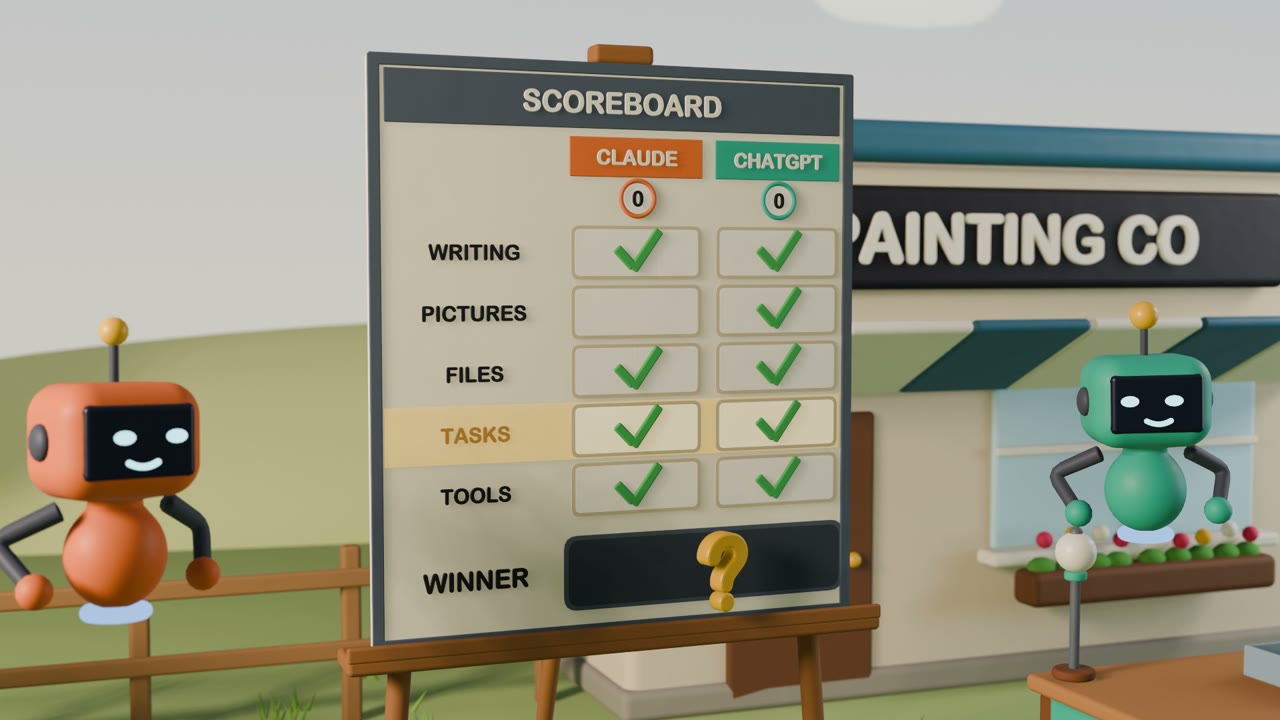
Claude and ChatGPT, from zero
AI, the kind everyone's talking about, is a program that learned by reading an enormous amount of text. Ask it something, and it writes back one word at a time, always guessing the most likely good next word. It's very, very good at guessing.
Claude
Made by a company called Anthropic.
ChatGPT
Made by a company called OpenAI. It's the one most people have heard of: OpenAI says its products reach more than a billion people every week.
In a 2026 survey of 942 American small-business owners by the business-banking company Bluevine, 57% used ChatGPT, and 12% used Claude.
You use both the same way. You type, or talk, in plain English, and it answers. You can hand it a file, a photo or a spreadsheet, and ask about it. Both have apps for your computer and your phone, and both are free to try.
Here's the part most comparisons skip. For everyday questions, both are very good. The real differences are in the tools built around them: what they can make, what they can connect to, and what they can do on their own. That's what the money actually buys.
What each plan costs, side by side
Here's the surprise: the prices match, almost exactly. In US dollars, as of October 2026.
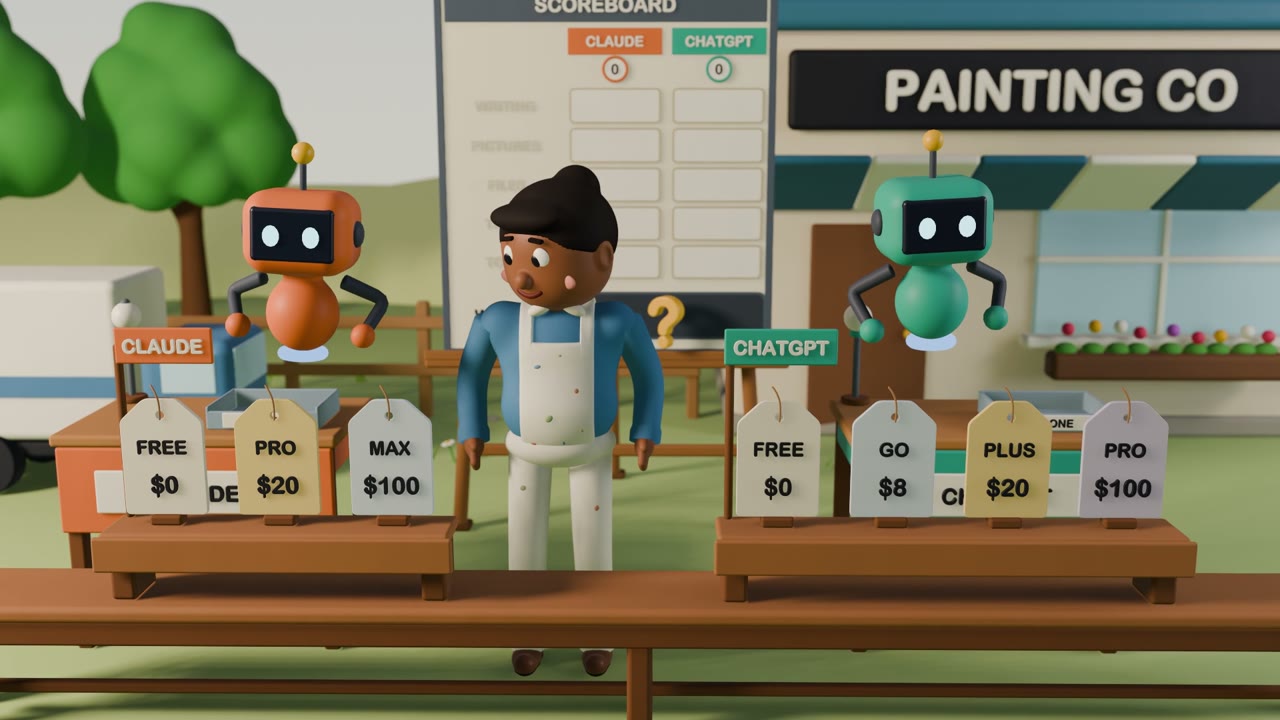
| Plan | Claude | ChatGPT |
|---|---|---|
| Free | Free, $0 | Free, $0 |
| The cheap plan | None | Go, $8 a month. Monthly only. |
| The $20 plan | Pro, $20 a month. Or $17 a month billed yearly, $200 up front. | Plus, $20 a month. Monthly only. |
| Power plans | Max, from $100 a month ($100 or $200). Monthly only. | Pro, from $100 a month ($100, $200 or $500). Monthly only. |
| Teams of 2 or more | Team, $25 per person a month, or $20 billed yearly. | Business, $25 per person a month, or $20 billed yearly. |
Free
It's limited, but it's plenty to try them out.
What the $20 buys
On both: much more use, the agent that does whole tasks on its own, and the coding tool.
No fixed message count
Both measure your use in five-hour windows, with weekly limits on top, and both let you buy extra if you run out. Run out every week? That's what the plans from $100 are for.
Five rounds of real work
Here's how Dana ran the test. Five kinds of work from her actual week. The same request, typed word for word into both. Both on the $20 plan. And she judged each result the only way that matters to her: could she use it, or send it to a customer, as is?
Round 1: writing
A customer emailed. She loved the job, but the final bill was $200 more than the quote, because the trim needed extra prep. Dana needs a reply that's honest and warm, and that doesn't give the money away. She typed:
Write a short, friendly reply to this customer. Explain that the extra $200 was for sanding and priming the trim, which we couldn't see until we started. Thank her for the kind words. Don't offer a discount.
Both wrote a good reply in a few seconds. Both were clear and polite, and she could send either one after a small edit. They sounded a little different from each other, and that part is taste. You can steer it, too: tell either one "shorter", or "more formal", and it rewrites it.
Result: a tie. For everyday writing, both are very good.
Round 2: pictures
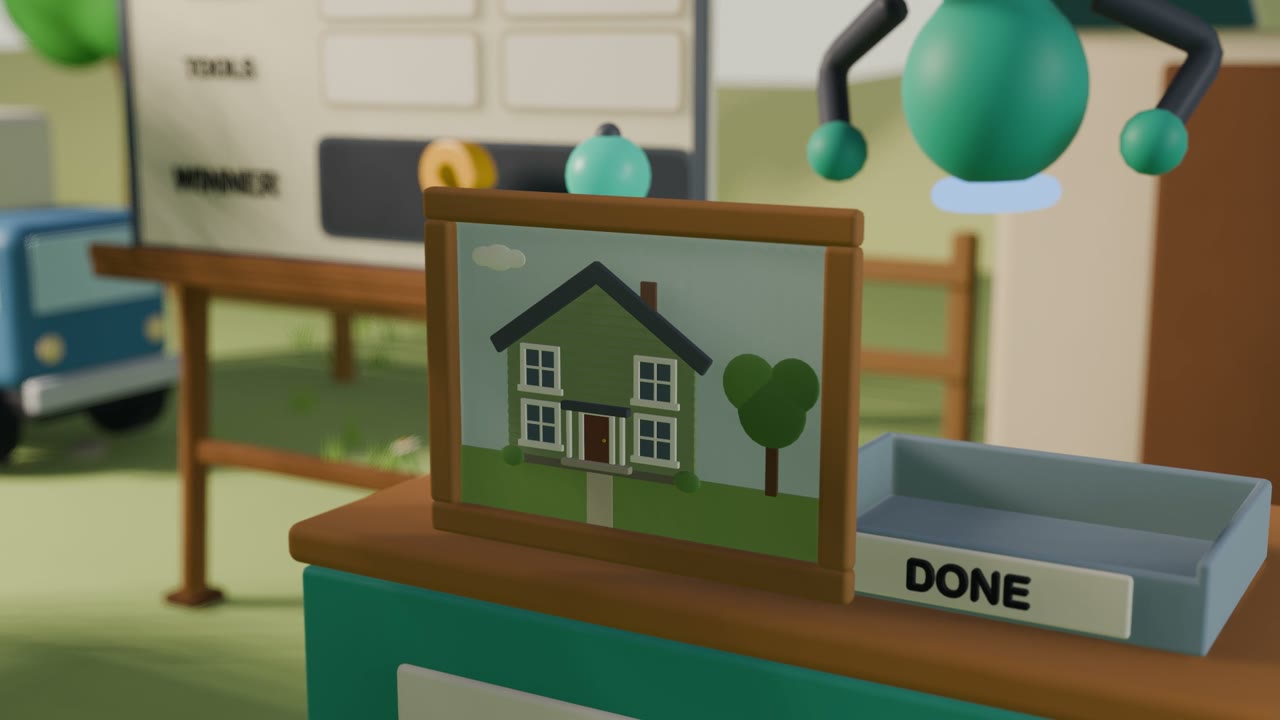
A customer can't decide on a color for her house. Dana takes a photo of it, and asks both:
Show me this house painted sage green, with white trim.
Claude
Doesn't make pictures like that. Anthropic says it plainly: Claude doesn't generate photos or illustrations. It can describe the house in sage green, lay out a flyer with your text, or draw a chart. But it can't paint a new photo of the house.
ChatGPT
Makes the picture: the same house, from the same angle, in sage green with white trim. It can also make a flyer for a fall special, or an image for a social post. It makes pictures on every plan, even the free one, with lower limits.
Result: ChatGPT, and it isn't close. If pictures are a big part of how you sell, that matters.
Round 3: spreadsheets and documents
Dana has a list of last month's jobs: the addresses, the hours, the paint, and what each one paid. She asks both:
Turn this into a spreadsheet, with the profit on each job and a chart of the busiest weeks. Then write a one-page summary I can send to my accountant.
Both make real files you can download and open. Both also work right inside Excel, Word and PowerPoint, with an add-in.
Claude
Makes real Excel, Word, PowerPoint and PDF files, on every plan, even the free one. Its Excel, Word and PowerPoint add-ins come with the paid plans.
ChatGPT
Makes documents, spreadsheets and slides with Work, including Google Docs, Sheets and Slides. Its Word and Excel add-ins work even on the free plan, and the Excel one works in Google Sheets too.
Result: a tie, with a different edge on each side.
Round 4: handing off a task
This is the newest part. Both now have an agent built in: you describe the result you want, and it works through the steps on its own, while you do something else. In ChatGPT, you pick Work. In Claude, there's no mode to pick anymore. You just ask, and it decides whether that's a quick answer or a bigger task.
First, connect your Gmail and your calendar
In Claude
Click the + button, then Connectors.
In ChatGPT
Open Plugins, pick Gmail, click Install plugin, then Connect.
Connecting your inbox is a big step, and there's one setting worth checking on either app before you do.
Then she asks both:
Find every quote request in my inbox from the last two weeks. Put them in a spreadsheet with the address and what they want painted. Then draft a reply to each one, offering a time from my calendar. Don't send anything.
Both did it. Both made the spreadsheet, and both left the drafts for her to read and send herself. Each one has its own strength here.
Claude
Has a small-business kit, Claude for Small Business, that you can add for free. It has 43 ready-made workflows for tools like QuickBooks, PayPal, Square and Shopify, and every one of them starts out asking before it acts. You add it with Install in Cowork, and Cowork comes with Pro and up.
ChatGPT
Work can sign in to a website for you, and a new email can set off a task on its own.
Result: a tie.
Round 5: building your own tool
Both $20 plans include a tool that writes software for you, right on your own computer. Anthropic's is called Claude Code. OpenAI's is called Codex. You describe a small tool for your business, and it builds it in a folder you choose, then checks its own work. Both live in the desktop app, on Mac and Windows.
Dana built her quote calculator with Claude Code, in episode 7: the rooms and square feet go in, and a price range comes out. She asked Codex for the same calculator, word for word, with the request she first typed into Claude Code:
I run a house-painting company. Build me a quote calculator my crew leads can use. They pick each room, enter its size, and choose the extras, and it shows the total, with every line explained. Use the price list, the past quotes, and my rules note in this folder. Before you build anything, ask me questions until you understand how I price a job.
It built one too. You don't need to read the code for either one. You try the tool, and you say what to change.
Claude
Claude Code starts with the paid plans, Pro and up.
ChatGPT
The free plan includes a little Codex.
Result: a tie.
The scorecard
Four ties, and pictures to ChatGPT. That's the real surprise: on most of a small business's work, they're close, and both are good. The differences are at the edges.
| Round | Result |
|---|---|
| 1. Writing | A tie |
| 2. Pictures | ChatGPT |
| 3. Spreadsheets and documents | A tie |
| 4. Handing off a task | A tie |
| 5. Building your own tool | A tie |
Where Claude has the edge
- It makes real office files on every plan: Excel, Word, PowerPoint and PDF.
- It has the ready-made small-business kit.
- It costs less if you pay for the year: Pro is $17 a month, billed yearly.
Where ChatGPT has the edge
- It makes pictures, on every plan.
- It has the cheaper Go plan, at $8 a month.
- Its free plan reaches further: pictures, the Word and Excel add-ins, and a little Codex.
The one question
So the winner isn't the same for everyone. It comes down to one question: what's the one kind of work you'll hand it most?
Pictures
For your posts, your flyers, or showing a customer a color. Pick ChatGPT.
Running the business
With your books and your payments in tools like QuickBooks and Square. Look hard at Claude, and its small-business kit.
Writing, files, tasks or your own tools
Both are good. Then the best one is the one you'll actually open every day. The twenty-minute test finds out which, for free.
One setting to check, on either app
Both apps can use your conversations to train future versions of their AI. On the personal plans, you choose. Whichever you pick, take ten seconds, open that setting, and set it the way you want it.
In Claude
- Open Settings.
- Click Privacy.
- Find the switch under Help improve our AI models, and set it the way you want.
In ChatGPT
- Open Settings.
- Click Data controls.
- Find the switch called Improve the model for everyone, and set it the way you want.
On the plans for teams, Claude Team and ChatGPT Business, your data isn't used for training by default.
The free twenty-minute test
The test from the start of the episode. It takes twenty minutes, and you can start on the free plans.
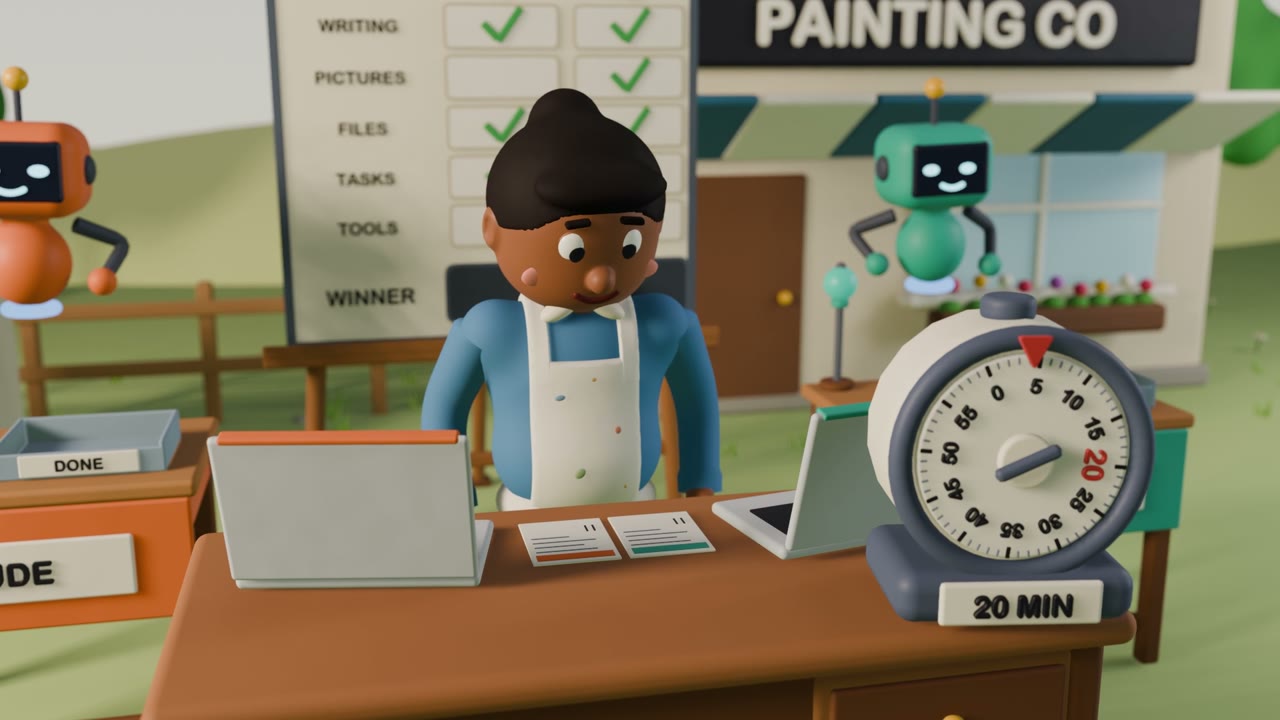
Pick three real tasks from your own week
One thing to write, one file to make, and one question about your business.
Open both apps side by side
The free plans are fine for this.
Give each one the same request
Word for word.
Read both answers
And ask Dana's question: could I use this as is?
Count the changes
Count how many changes each answer needed. The one that needed fewer, on your own work, is your winner.
Pay for that one for a month
And see if it sticks. You can cancel either one at any time.
Dana ran it on her own week. She picked Claude, because her quote calculator and her website already live in Claude Code, and her books are in QuickBooks. Her crew lead kept the free ChatGPT on his phone, for quick pictures to show customers. They both won.
Get the free checklist: the prices, the five rounds, the test, and every request Dana typedWhere it stops
Either one is a big step up for a small business. But both have limits worth knowing.
Both make mistakes
Read every price, date and promise before it goes to a customer.
A helper, not a system
An app on its own is a helper. When you want your quotes, your schedule and your invoices to flow into each other, every day, without anyone copying and pasting, that's real software, built around the way your business works. That's the time to bring in an engineer.
The free checklist: Claude vs ChatGPT, side by side
The prices side by side, the five rounds and who won, the one setting, the twenty-minute test, and every request Dana typed, ready to copy into both, on one page. Print it, or keep this page open.
The prices
In US dollars, as of October 2026.
| Plan | Claude | ChatGPT |
|---|---|---|
| Free | Free, $0 | Free, $0 |
| The cheap plan | None | Go, $8 a month |
| The $20 plan | Pro, $20 a month, or $17 billed yearly | Plus, $20 a month, monthly only |
| Power plans | Max, from $100 a month | Pro, from $100 a month |
| Teams of 2 or more | Team, $25 per person a month, or $20 billed yearly | Business, $25 per person a month, or $20 billed yearly |
The five rounds, and who won
The same request typed into both, on the $20 plans.
| Round | Result | The edges |
|---|---|---|
| 1. Writing | A tie | Steer either one with "shorter" or "more formal". |
| 2. Pictures | ChatGPT | ChatGPT makes pictures on every plan. Claude doesn't generate photos or illustrations. |
| 3. Spreadsheets and documents | A tie | Claude: real Excel, Word, PowerPoint and PDF files on every plan. ChatGPT: Google Docs, Sheets and Slides with Work, and Word and Excel add-ins on the free plan. |
| 4. Handing off a task | A tie | Claude: the small-business kit, with 43 ready-made workflows. ChatGPT: Work signs in to websites, and a new email can set off a task. |
| 5. Building your own tool | A tie | Claude Code starts with Pro. ChatGPT's free plan includes a little Codex. |
The one question
What's the one kind of work you'll hand it most? Pictures: pick ChatGPT. Running the business, with your books and payments in tools like QuickBooks and Square: look hard at Claude. Writing, files, tasks or your own tools: both are good, so let the test decide.
The one setting
Claude Team and ChatGPT Business don't use your data for training by default.
The twenty-minute test
Tick each step off as you go. The free plans are fine.
Every request Dana typed
Type each one into both, word for word. Swap in your own customers, your own jobs and your own numbers.
Write a short, friendly reply to this customer. Explain that the extra $200 was for sanding and priming the trim, which we couldn't see until we started. Thank her for the kind words. Don't offer a discount.
Show me this house painted sage green, with white trim.
Turn this into a spreadsheet, with the profit on each job and a chart of the busiest weeks. Then write a one-page summary I can send to my accountant.
Find every quote request in my inbox from the last two weeks. Put them in a spreadsheet with the address and what they want painted. Then draft a reply to each one, offering a time from my calendar. Don't send anything.
I run a house-painting company. Build me a quote calculator my crew leads can use. They pick each room, enter its size, and choose the extras, and it shows the total, with every line explained. Use the price list, the past quotes, and my rules note in this folder. Before you build anything, ask me questions until you understand how I price a job.
The links
The official pages for each step.
Sources
Where the facts in the episode come from, checked in October 2026. The main links for each step are in the checklist above.
Ready for more than a helper?
That's what Benmore's forward deployed engineers do. They build inside your business: they find the work worth automating, and they build it with AI, properly.
Talk to Benmore